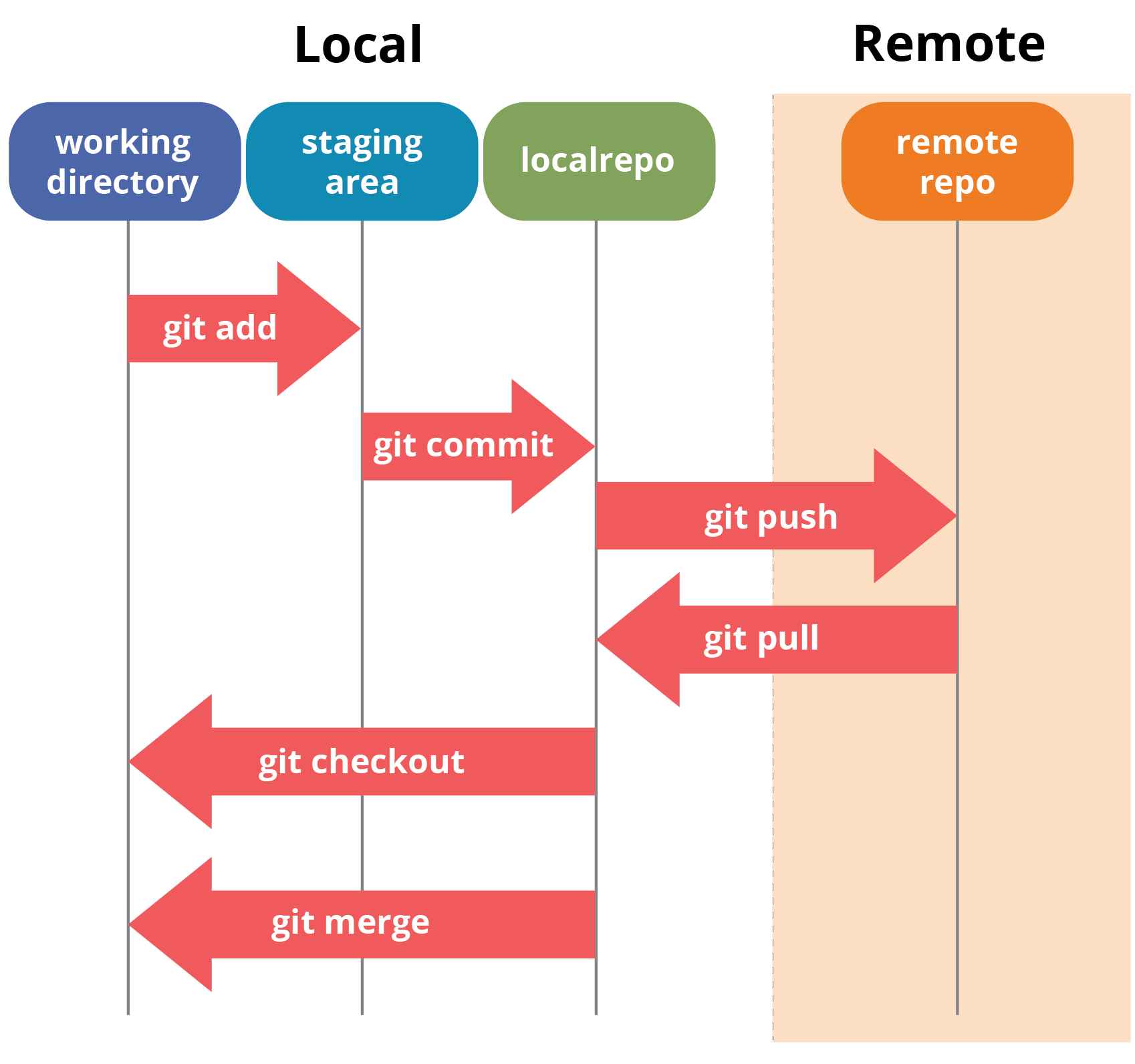
How will we work in this class, and how are new technologies changing those workflows?
As of this morning:
| Section | Completed | Current Students |
|---|---|---|
| A | 12 | 23 |
| B | 9 | 26 |
| Total | 21 | 49 |
28 current students still need to complete the survey. Please complete this ASAP so I can start forming groups for Tuesday’s class. Link is on Canvas and please reach out if you have any issues accessing it.
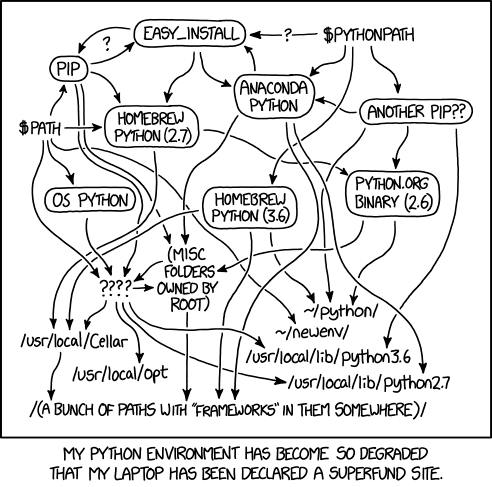
Python Environment by Russell Monroe
The best representation of what I’m talking about is this xkcd comic, entitled Dependency.
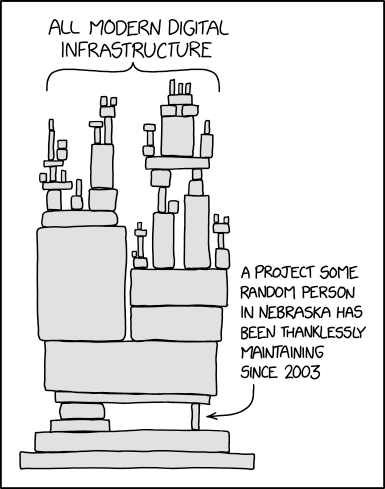
Dependency by Randall Munroe
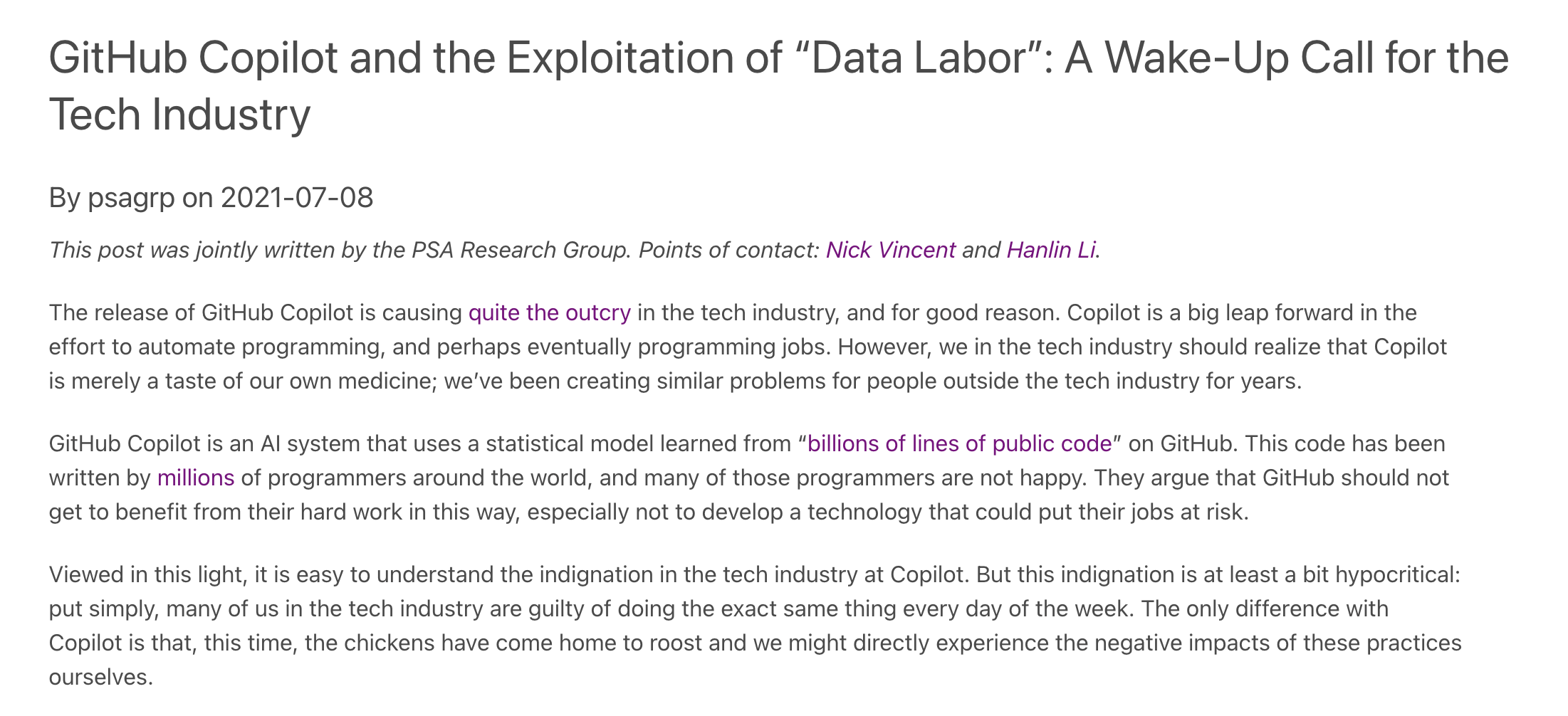
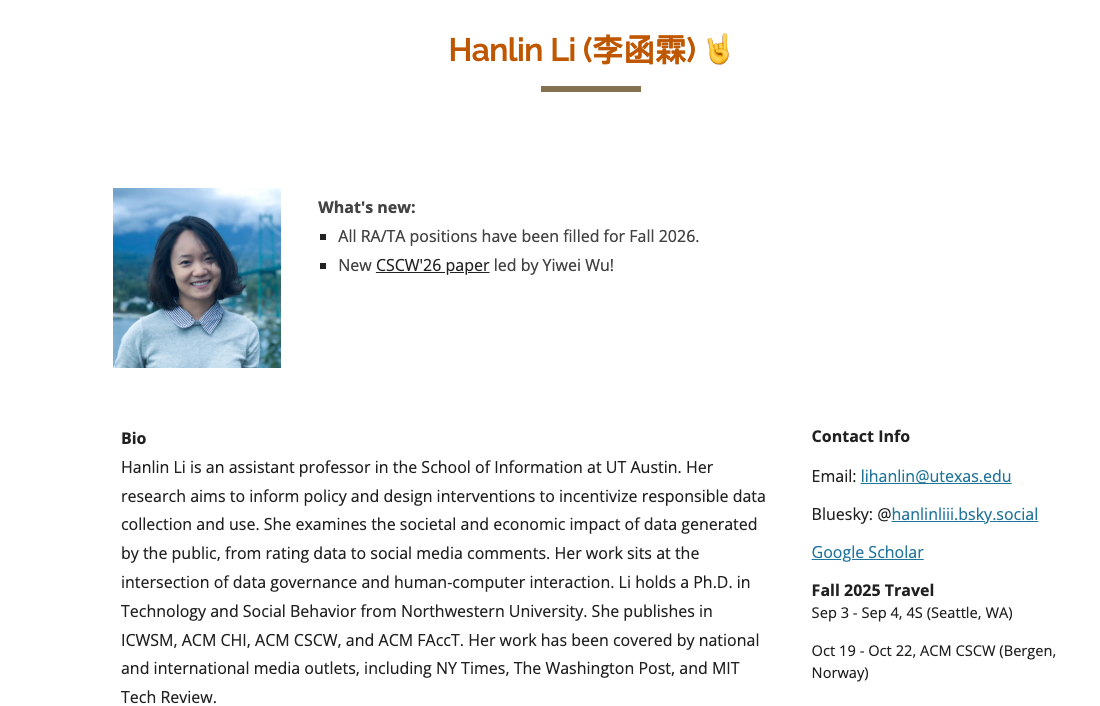
Vincent and Li, “GitHub Copilot and the Exploitation of ‘Data Labor’”
Today we are practicing how to:


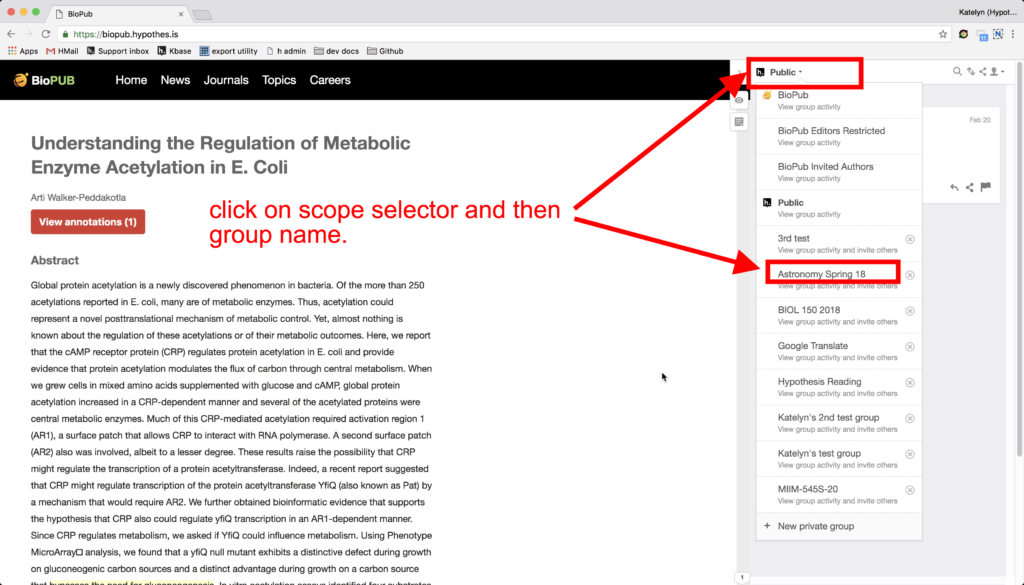
If you have yet to install or sign up for Hypothesis, please follow the quick start guide that is linked in our course materials https://cultureasdata-uiuc.github.io/is310-fall-2026/materials/introducing-defining-cad/01-CAD-tools.html#hypothesis.


For assigned readings, add two annotations by midnight before class:
Your annotations should help us start discussion, not summarize everything.
Open next week’s Manovich reading from Canvas:
Lev Manovich, “Types of Cultural Data”
Please follow the instructions here https://cultureasdata-uiuc.github.io/is310-fall-2026/materials/introducing-defining-cad/01-CAD-tools.html#using-hypothesis-on-local-pdfs to annotate a local PDF.
Two readings assigned for today:


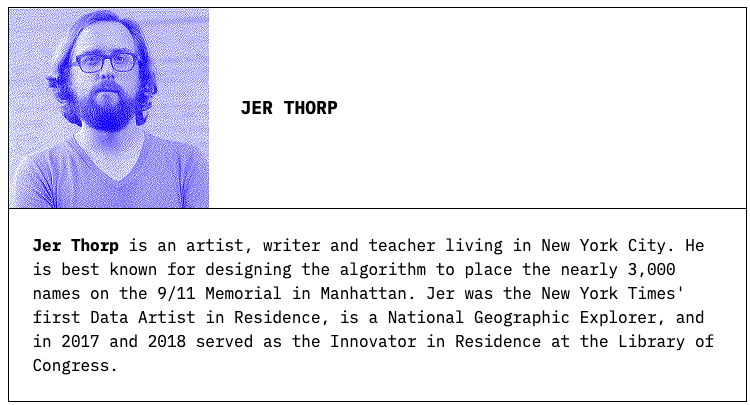
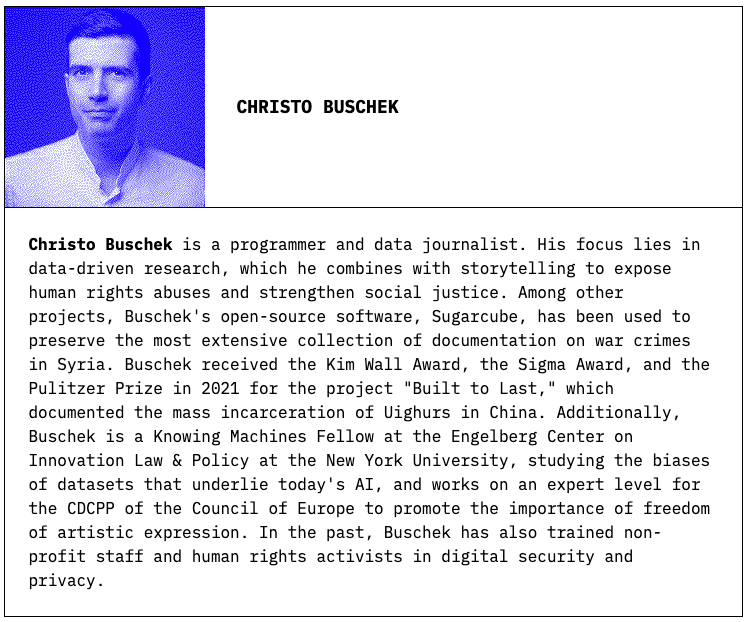
Jer Thorp & Christo Buschek, Knowing Machines (2024)
Schaul, Kevin, Szu Yu Chen, and Nitasha Tiku. “Inside the Secret List of Websites That Make AI like ChatGPT Sound Smart.” Washington Post, April 19, 2023.
Lucy, Li, Suchin Gururangan, Luca Soldaini, et al. “AboutMe: Using Self-Descriptions in Webpages to Document the Effects of English Pretraining Data Filters.” arXiv:2401.06408. Preprint, arXiv, January 12, 2024. https://doi.org/10.48550/arXiv.2401.06408.
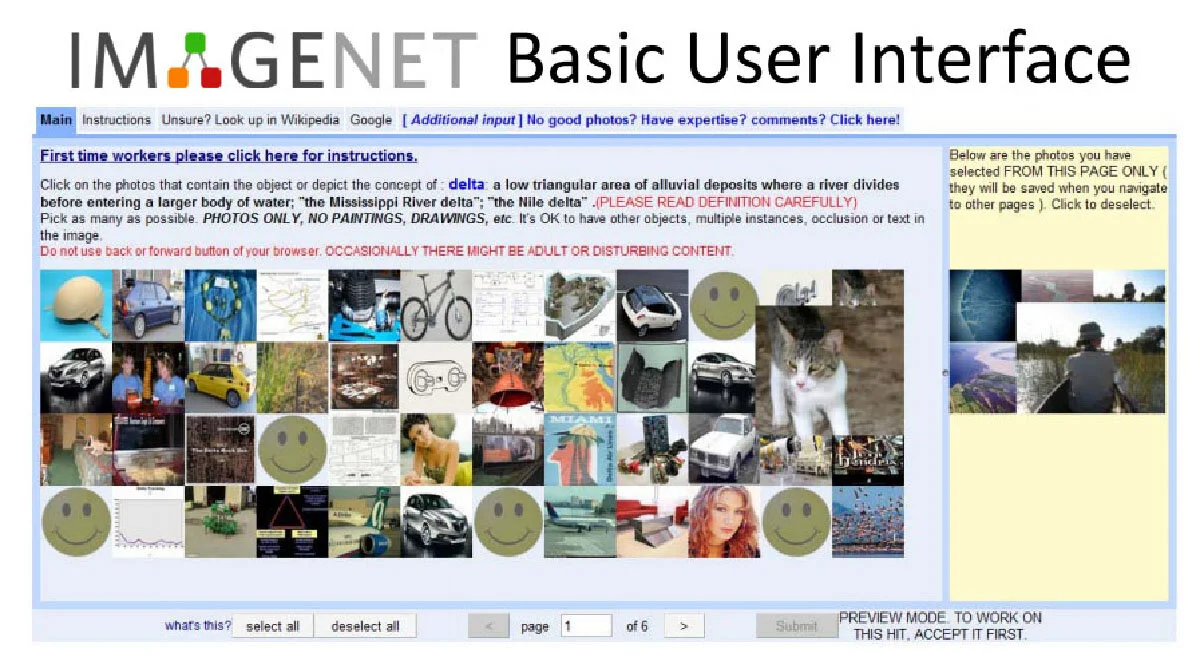
The Politics of Images in Machine Learning Training Sets
By Kate Crawford and Trevor Paglen

“There are models on top of models, and training sets on top of training sets.”
“Omissions and biases and blind spots from these stacked-up models and training sets shape all of the resulting new models and new training sets.”
Why is scale a problem?
The Problem: In December 2023, researchers found over 1,000 images of Child Sexual Abuse Material (CSAM) in the dataset
“The tiniest of shifts in LAION’s thresholds could have excluded or included hundreds of millions of images”
For every English speaker: 1.6 image captions
For every French speaker: 0.5 image captions
For every Swahili speaker: 0.03 image captions
“For models trained on LAION-5B, English (and English-speaking culture) is valued more than the other 107 languages combined.”
“The concepts of what is and isn’t visually appealing can be influenced in outsized ways by the tastes of a very small group of individuals”
Midjourney’s aesthetic fine-tuning: shaped by a handful of Discord users and a 65-year-old mechanical engineer from Wisconsin
A terminal is a way to interact with your computer via text commands.
Instead of clicking on icons (GUI), we type explicit commands.


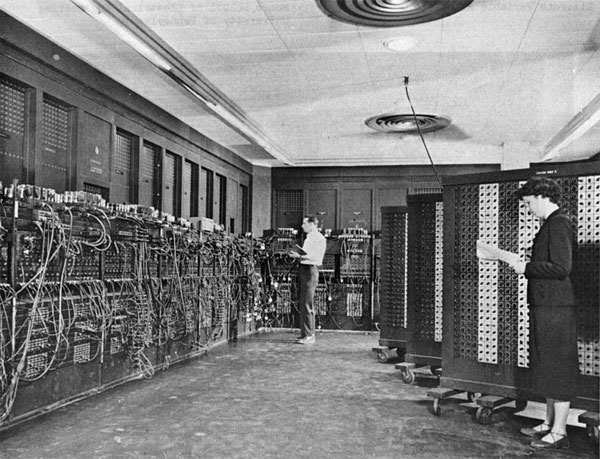
SmallTalk: The First GUI
Reimer, Jeremy. “A History of the GUI.” Ars Technica, May 5, 2005. https://arstechnica.com/features/2005/05/gui/.
| Term | Definition |
|---|---|
| Terminal | The device/program that allows you to interact with the computer |
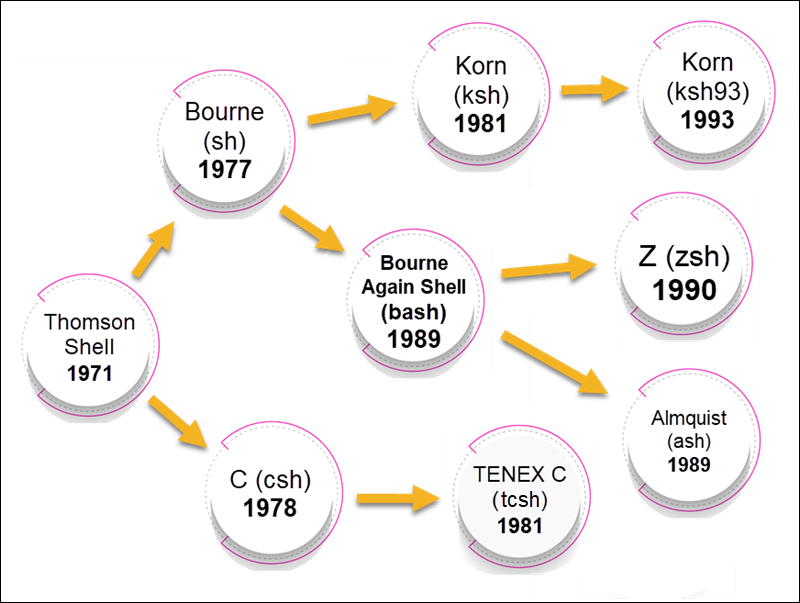
| Shell | A program that interprets your commands (bash, zsh, PowerShell) |
| Command Line | The text-based interface where you type commands |
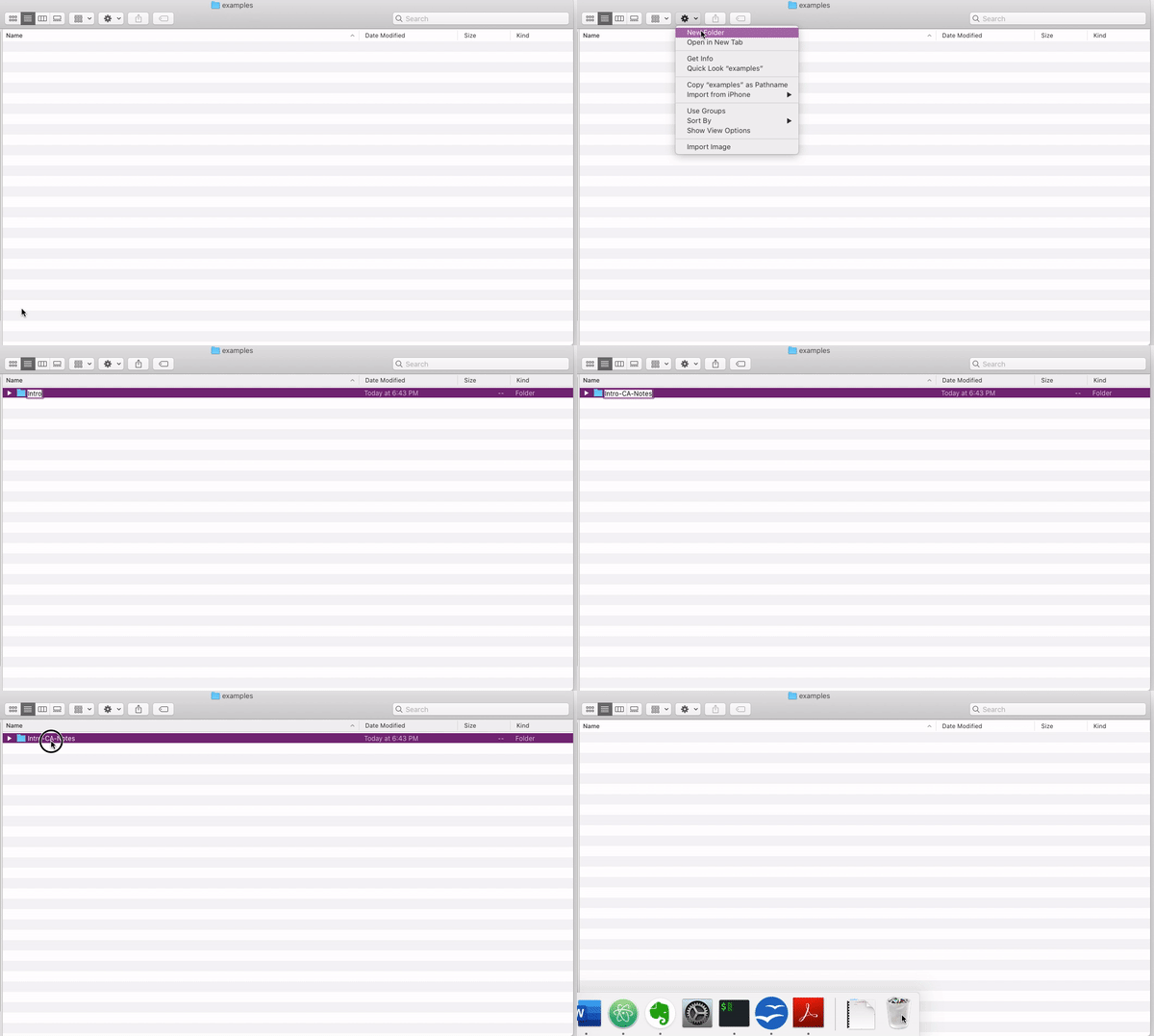
GUI (Graphical) 
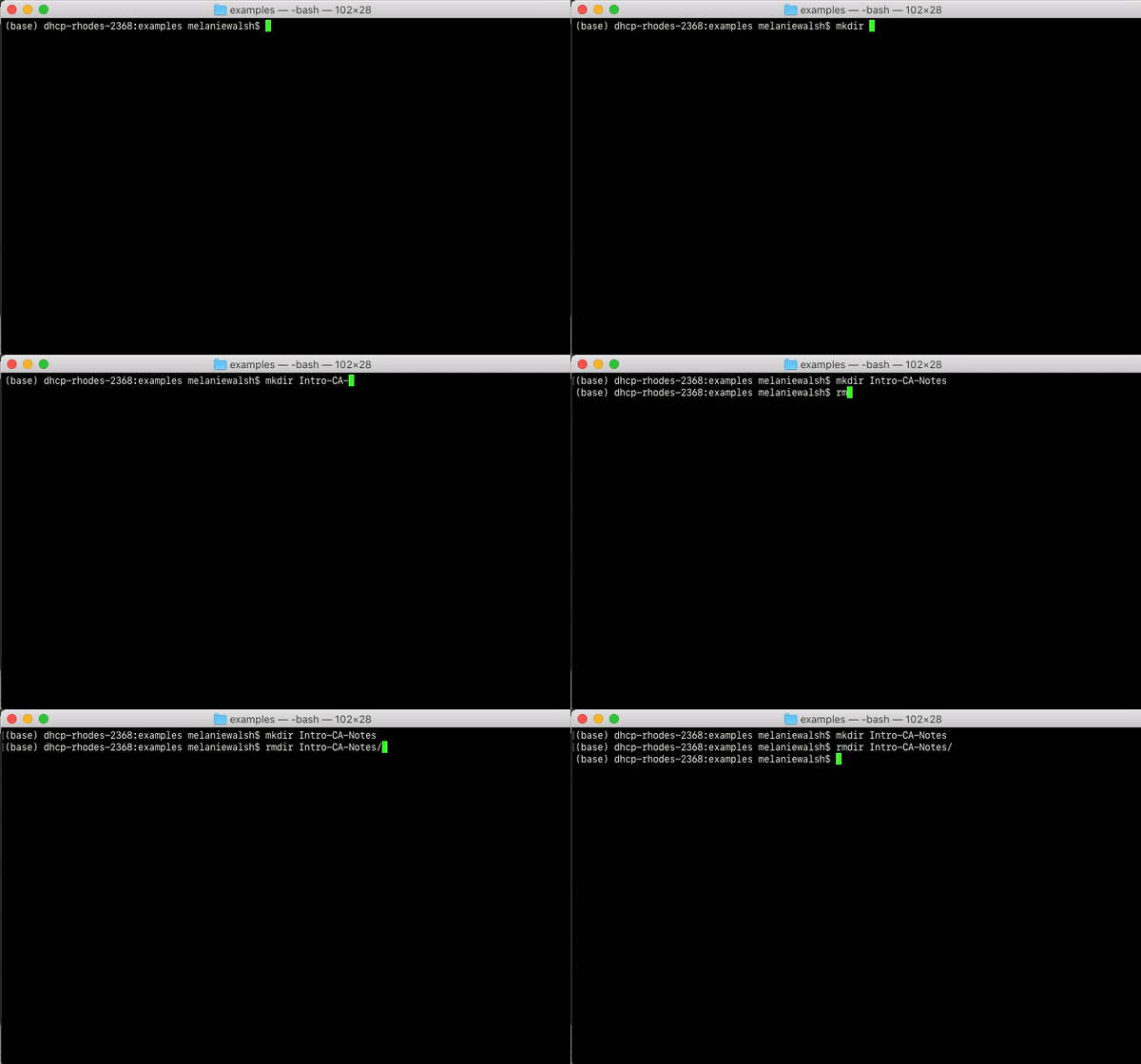
CLI (Command Line) 
Open your terminal in VS Code: Terminal > New Terminal
But how do we know it worked?
We have two options: - look at the Command Line cheatsheet that contains a number of these commands and see what would be the best option to help us check if this worked.
Our other option is to try and start testing out these AI Chatbots, and specifically GitHub Co-Pilot (though again you are welcome to use any AI tool that is free and helps you understand these materials).
In the terminal: the symbol that indicates where you type
$ (bash)% (zsh)> (PowerShell)In AI: the text input you give to a chatbot

| Terminal Commands | AI Prompts |
|---|---|
| Fixed, specific syntax | Natural language |
| Predictable outputs | Variable outputs |
| Must use exact commands | Flexible phrasing |
| Reproducible | Rarely reproducible |
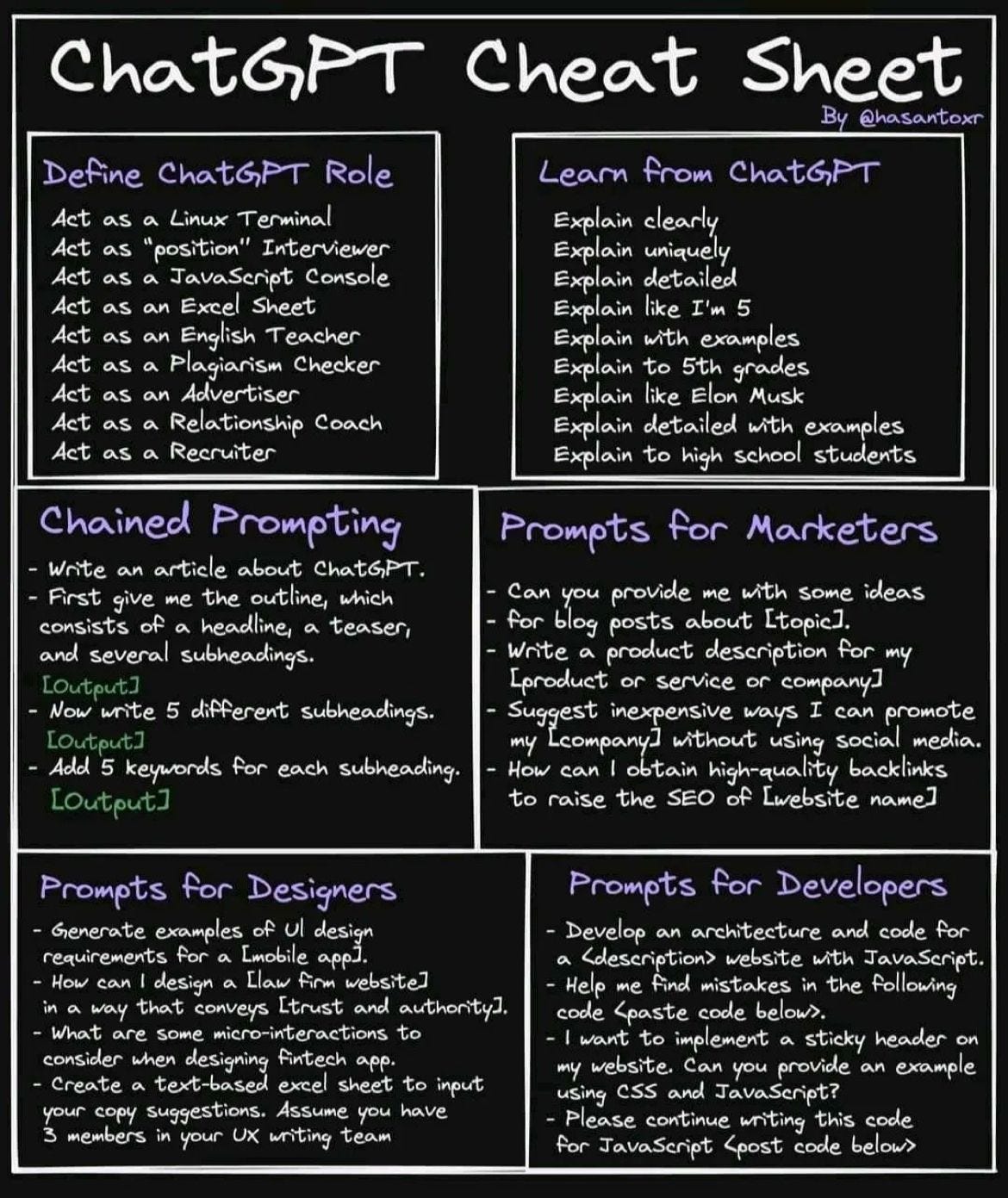
Infographics Abound
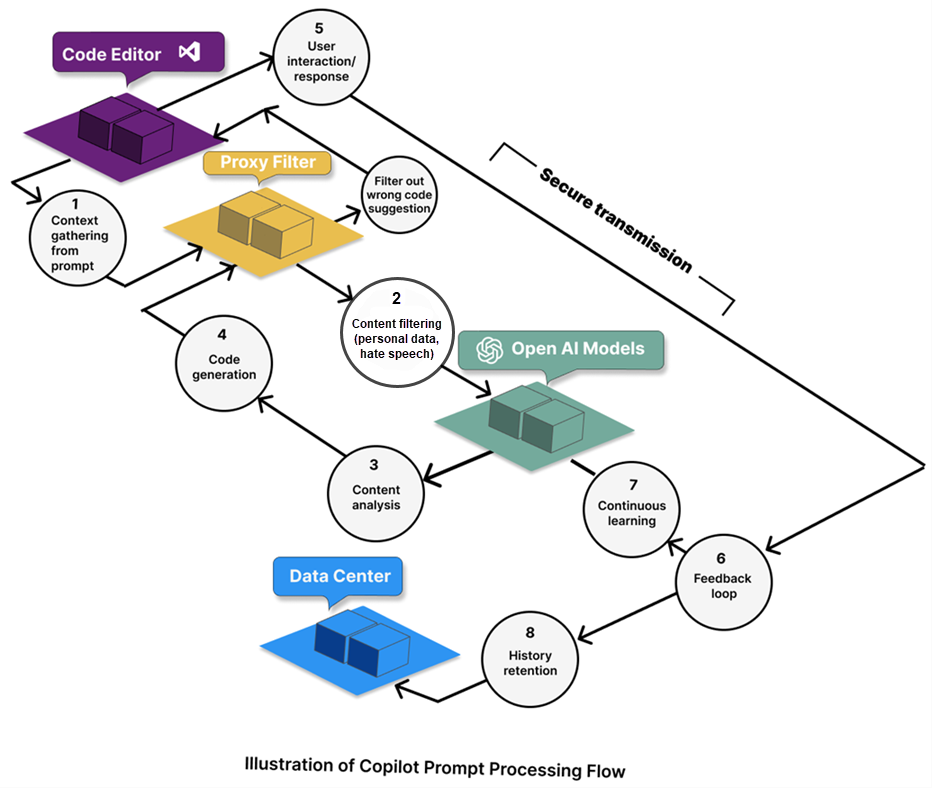
Microsoft’s guidelines for GitHub Copilot:

Never share sensitive information in prompts!
Use AI tools with a critical lens
Try these prompts!
How can I check if my directory was created in my terminal?
Should I use the command ls or pwd to check if my directory
was created? And what is the difference between these two?
How can I create a directory named is310-culture-as-data
in my terminal?
So returning to our original question, hopefully by now we have discovered some of the commands we can use to check if our directory was created. Any thoughts?
| Command | What it does |
|---|---|
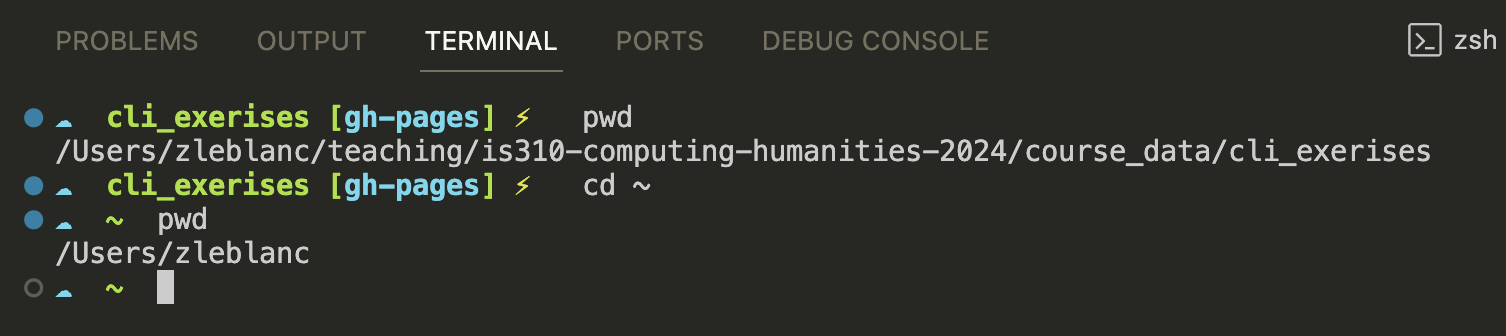
pwd |
Print working directory (where am I?) |
ls |
List directory contents |
cd |
Change directory |
mkdir |
Make a new directory |
touch |
Create a new file |
mv |
Move or rename files |
rmdir |
Remove an empty directory |

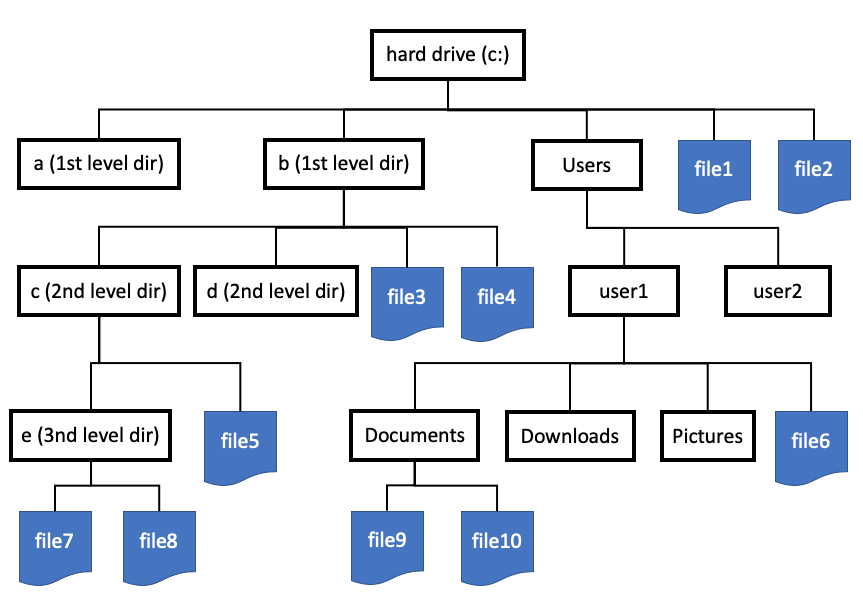
Current Directory
Absolute path: Full path from root
Using the cheatsheet and/or your preferred AI chatbot:
is310-culture-as-data directory in your Desktop folderis310-culture-as-data.txtBonus: Copy your folder, then delete the copy
Remember:
See also: Command Line Cheatsheet
Have you ever had files like this?
essay_final.docxessay_final_v2.docxessay_FINAL_FINAL.docxessay_FINAL_FINAL_actually_final.docxVersion control solves this problem!
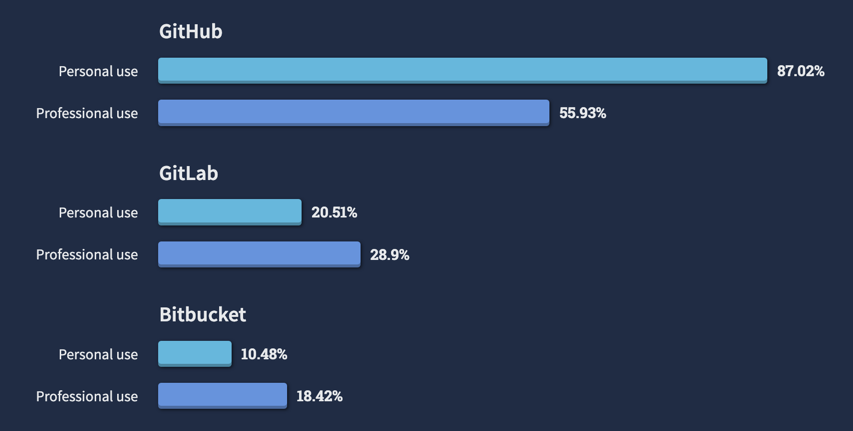
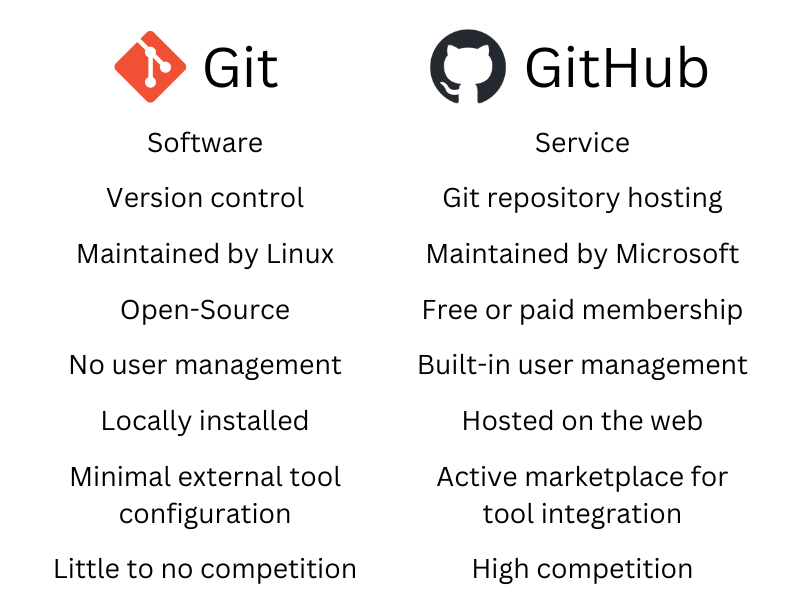
Git is software for version control - tracking changes in files over time.
| Git | GitHub | |
|---|---|---|
| What | Version control system | Platform for hosting git repositories |
| Where | Local (on your computer) | Remote (website) |
| Install? | Yes | No (it’s a website) |
They are two separate technologies often used together!

Git allows you to:

First, verify git is installed:
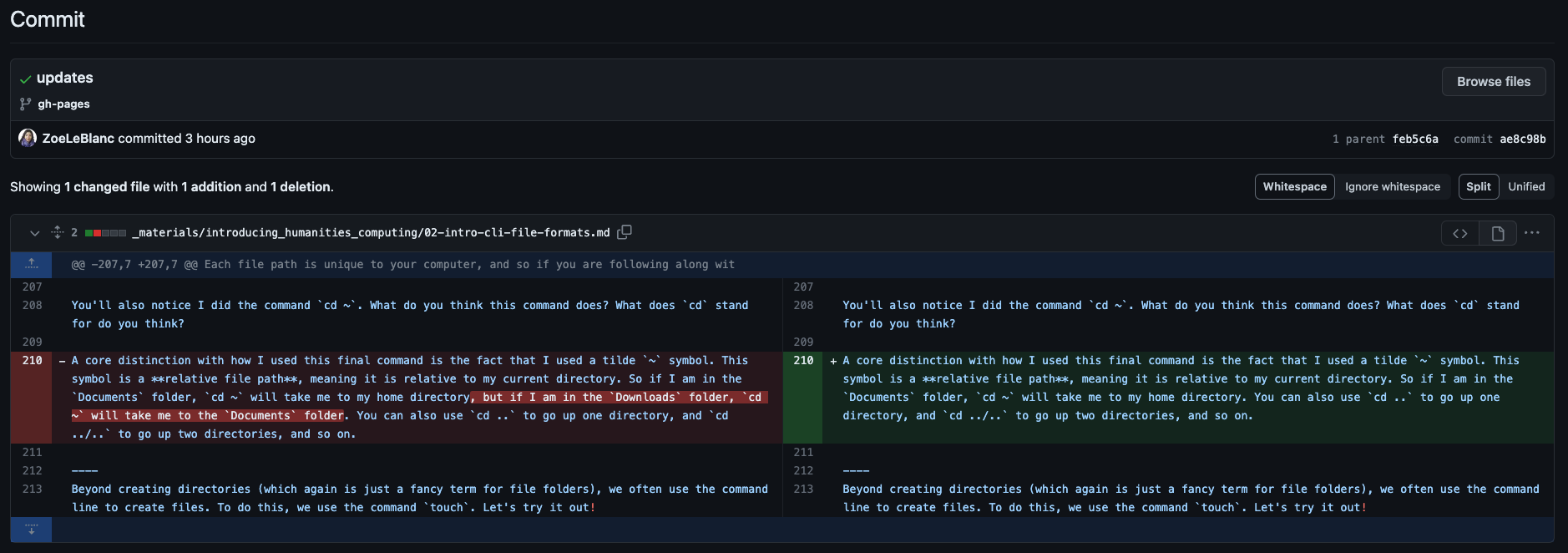
A hidden .git folder is created. We can use ls -a for Unix/Linux or Get-ChildItem -Force for PowerShell to see it.

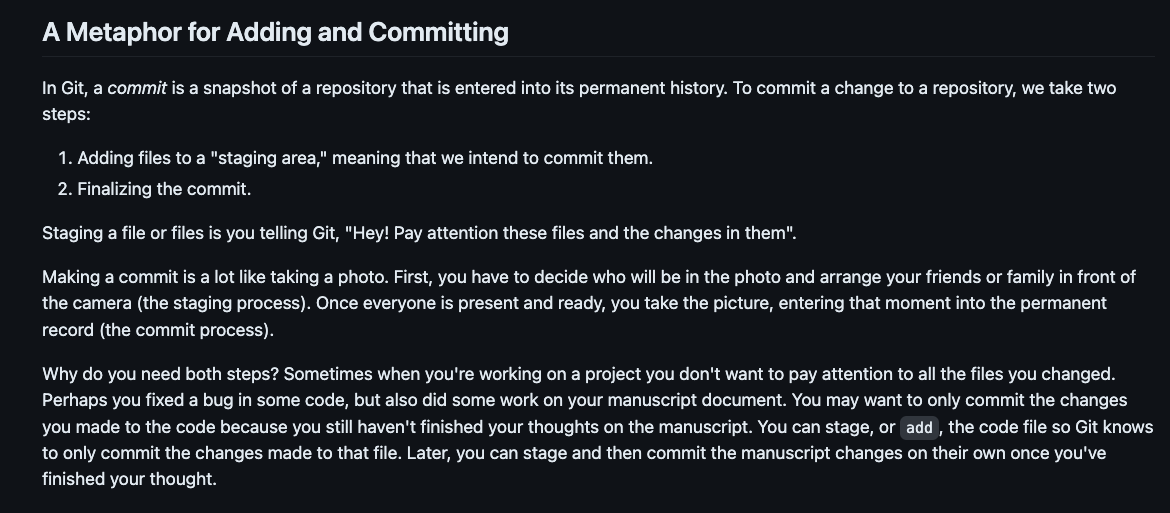
Think of git as a camera taking snapshots of your project
Git doesn’t track automatically - you must tell it what to track:
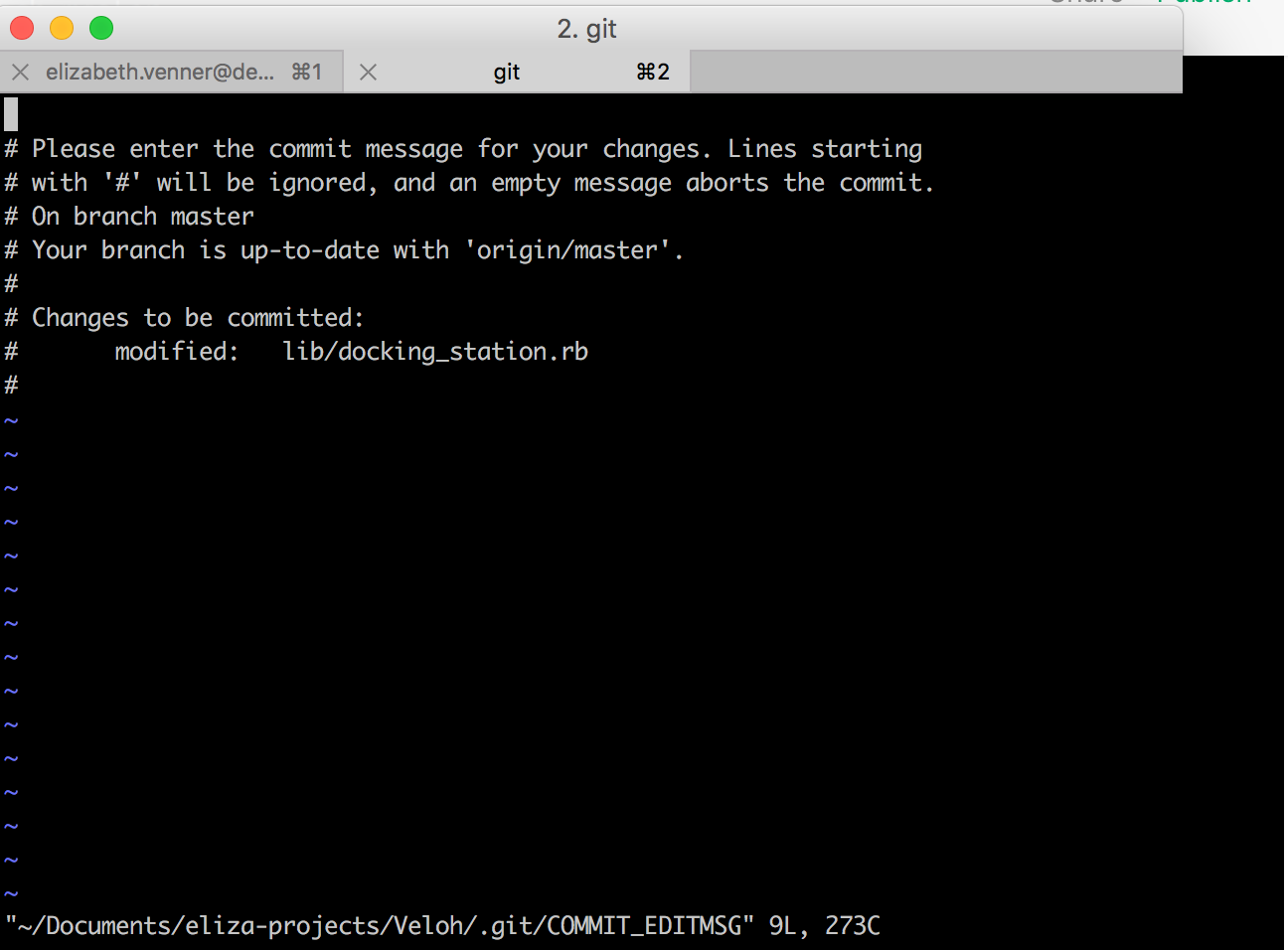
Finalize your snapshot with a descriptive message:
You’ll see Vim (a text editor):

i to type, then esc, then :wq to save and exitesc, then :q! to exit without savingSee your commit history:
| Command | What it does |
|---|---|
git init |
Initialize a repository |
git add <file> |
Add file to staging area |
git commit -m "msg" |
Commit with message |
git status |
Check current status |
git log |
View commit history |
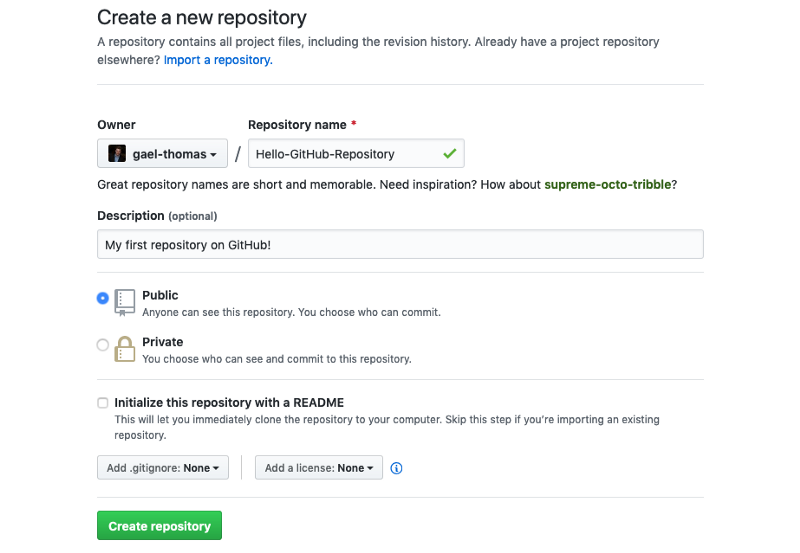
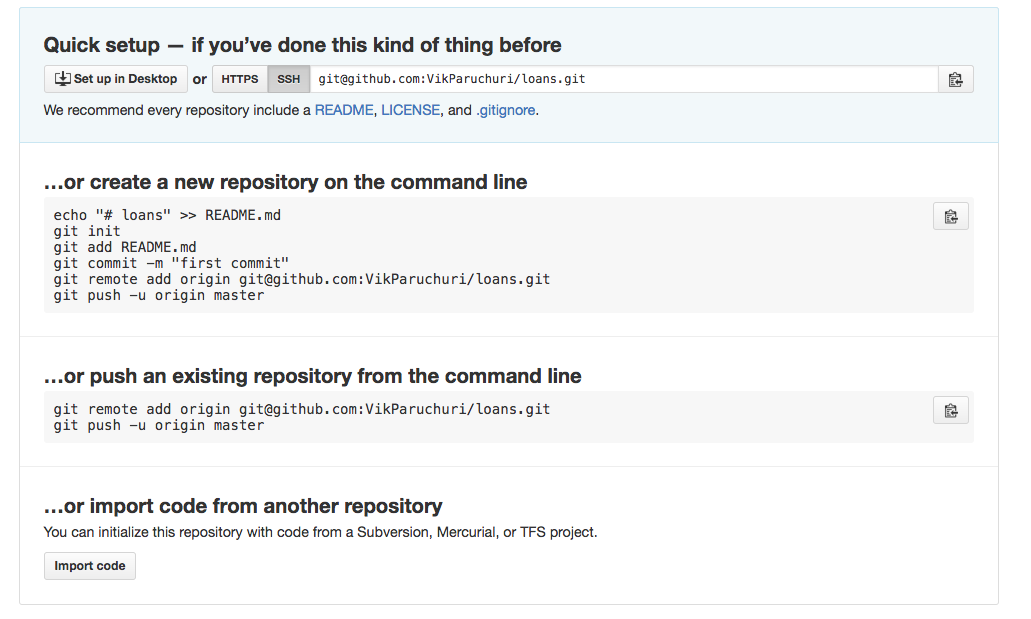
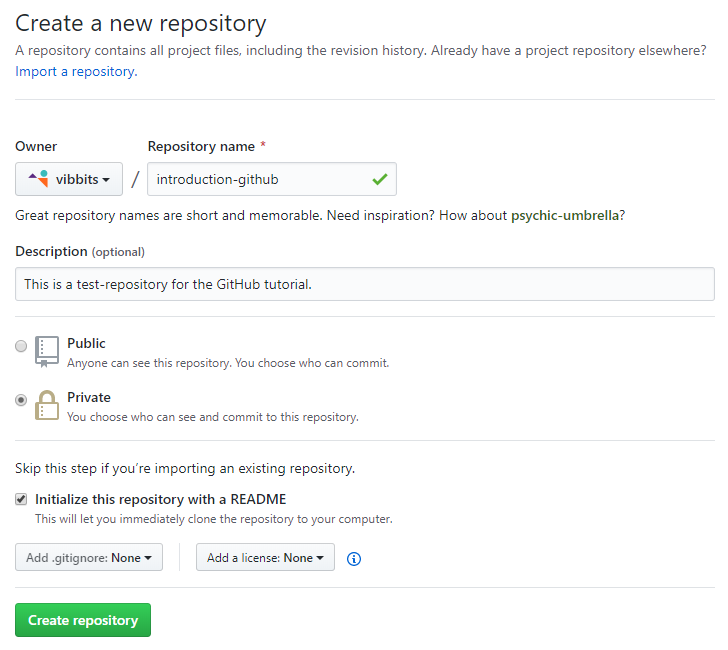
By now you should have your git configuration setup and have a GitHub account, but feel free to look back at our course tools lesson if you’re having any issues.


is310-first-repoFirst Commit
First Commit With README
To understand what each button does feel free to browse through our advanced git and GitHub resource, but first let’s try to get our local repository onto GitHub.
Add your GitHub repo as a “remote”:
Verify it worked:
Send your local commits to GitHub:
If you see a fatal error that looks like this:
Tired of entering your username/password?
SSH keys let you connect securely without credentials.
You can find instructions on how to do it here
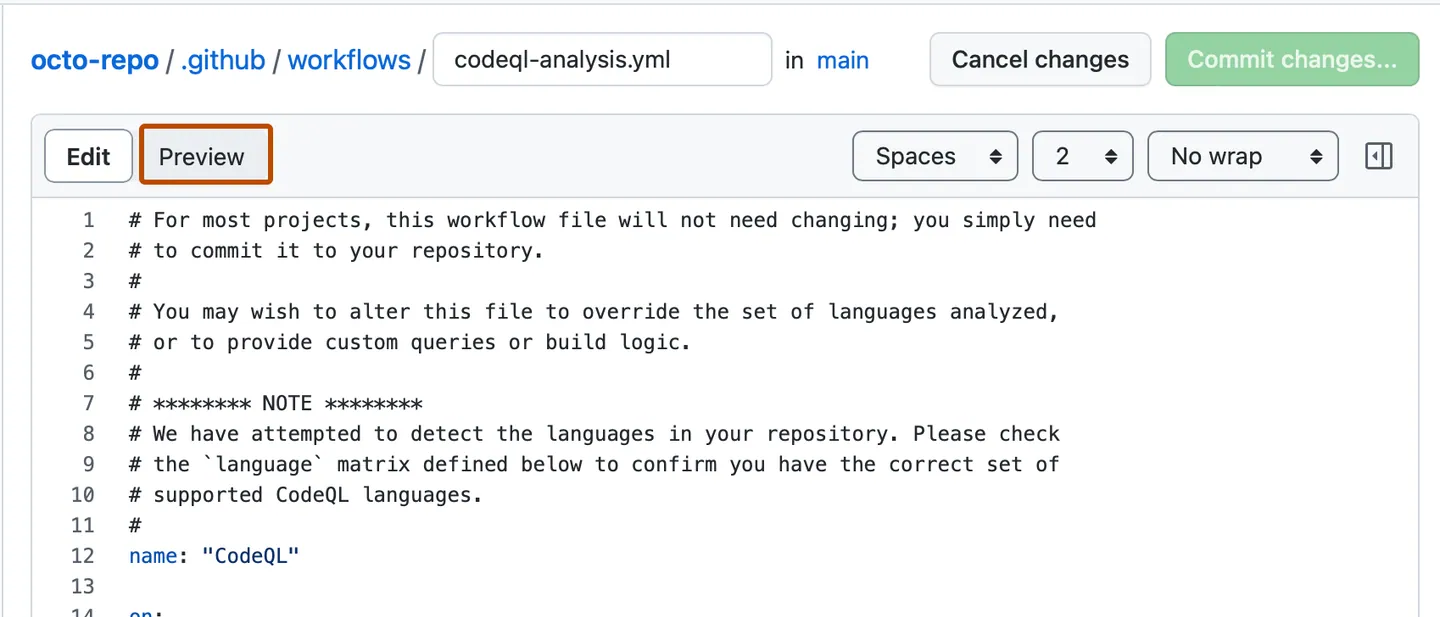
Click Add file > Create new file

Name your file README.md and add:
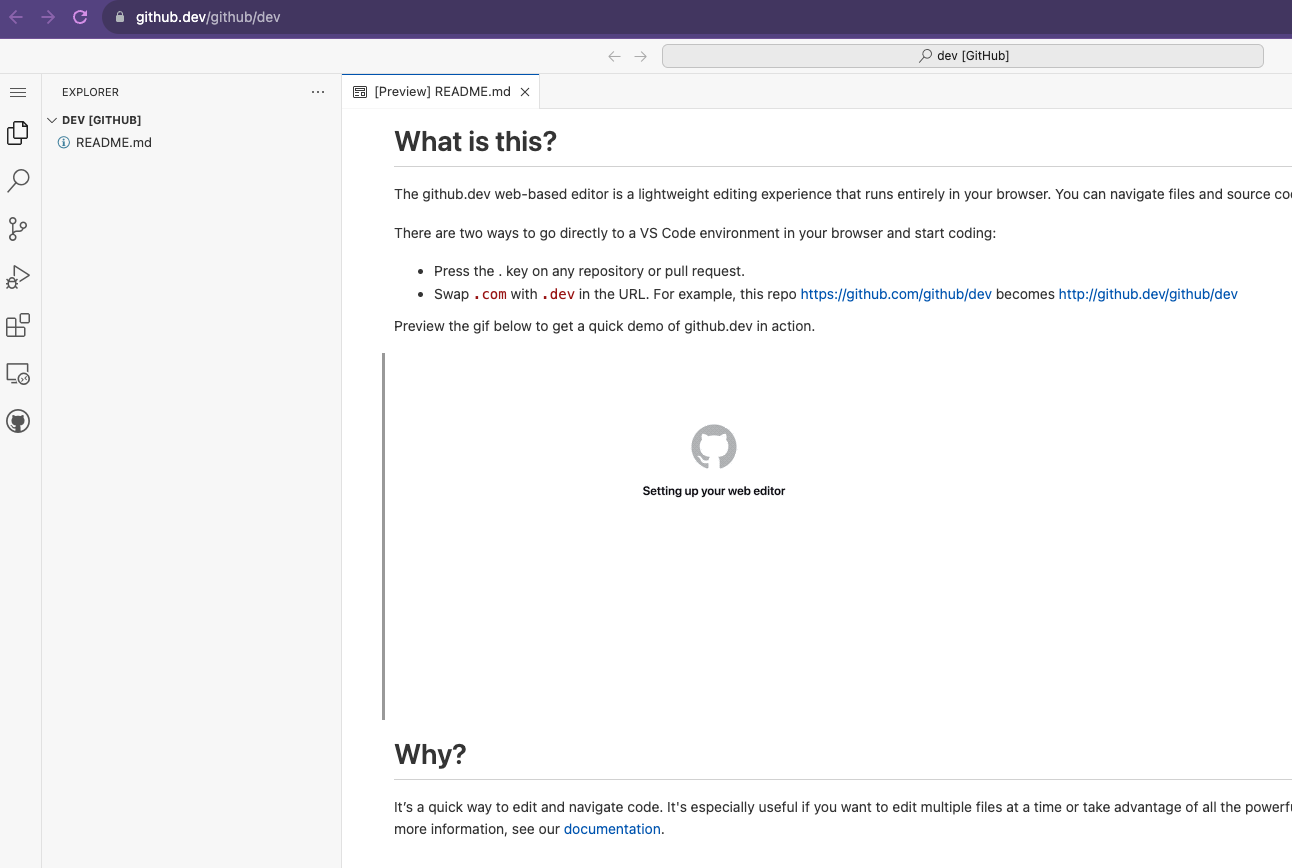
Change github.com to github.dev in your URL. So for us, we would change https://github.com/[USER NAME]/is310-first-repo to https://github.dev/[USER NAME]/is310-first-repo.
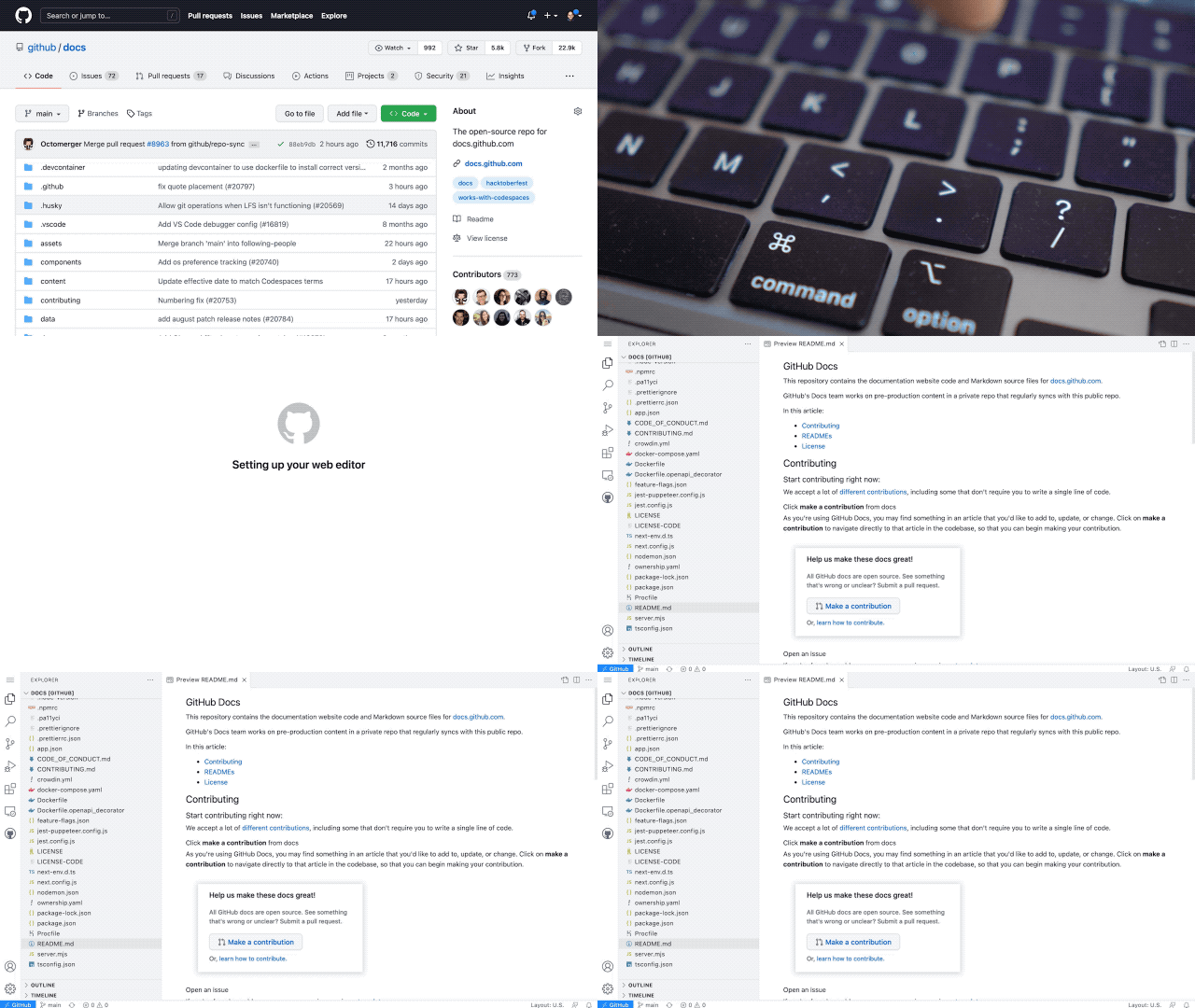
GitHub Dev
Or press . on any repository

It’s VS Code in your browser! You can read more about it https://docs.github.com/en/codespaces/the-githubdev-web-based-editor.
Now we have two versions:
They have different files! How do we sync them?
remote: Enumerating objects: 4, done.
remote: Counting objects: 100% (4/4), done.
remote: Compressing objects: 100% (2/2), done.
remote: Total 3 (delta 0), reused 0 (delta 0), pack-reused 0
Unpacking objects: 100% (3/3), 935 bytes | 233.00 KiB/s, done.
From github.com:ZoeLeBlanc/is310-first-repo
* branch main -> FETCH_HEAD
d8dad7b..832b673 main -> origin/main
Updating d8dad7b..832b673
Fast-forward
README.md | 1 +
1 file changed, 1 insertion(+)
create mode 100644 README.mdNow ls shows the README.md file locally!

git add <file>git commit -m "message"git push origin maingit pull origin mainis310-coding-assignments.is310-coding-assignments and enable it as a git repository.README.md within is310-coding-assignments.images within is310-coding-assignments.Remember to connect local to remote first:
Post your repo link in the discussion forum!
Key takeaways:
See also: Advanced Git & GitHub