Definitions & Disciplines

What does it mean to represent culture as data?

Definitions & Disciplines

Today’s Agenda

  • Complete remainder of Introduction to Version Control and GitHub.
  • Discuss assigned readings and annotations.
  • Discuss the semester project and group formation.

Any questions before we start?

PLEASE COMPLETE THE SURVEY!

As of this morning:

Section Completed Current Students Missing
A 14 22 8
B 25 27 2
Total 39 49 10

10 current students still need to complete the survey. Please complete this ASAP so I can finalize groups for Thursday’s class. Link is on Canvas, and please reach out if you have any issues accessing it.

Working with GitHub

By now you should have your git configuration setup and have a GitHub account, but feel free to look back at our course tools lesson if you’re having any issues.

Quick Git Workflow Review

Before we move to GitHub:

  • What does git status tell us?
  • What is the difference between git add and git commit?
  • Where do commits live before we push them?
  • What does GitHub add to our local git workflow?

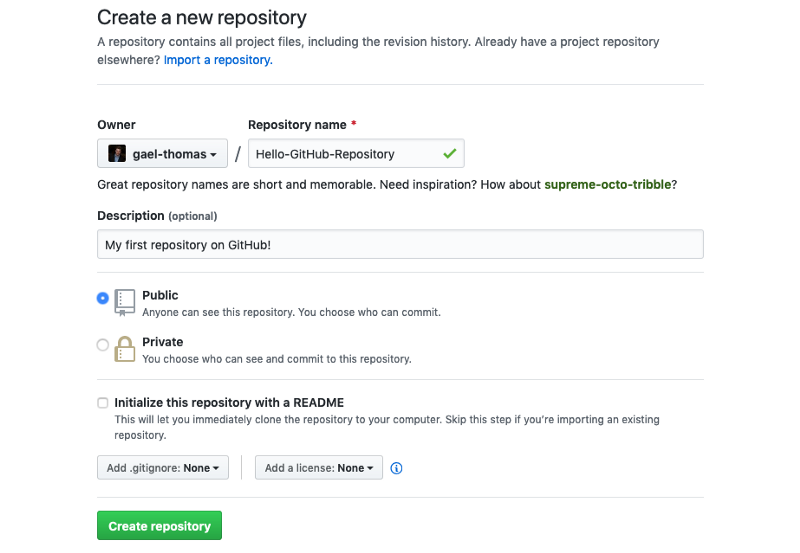
Creating a Repository on GitHub

  1. Go to github.com
  2. Click the New button

Create repo button

Repository Settings

Repository Settings
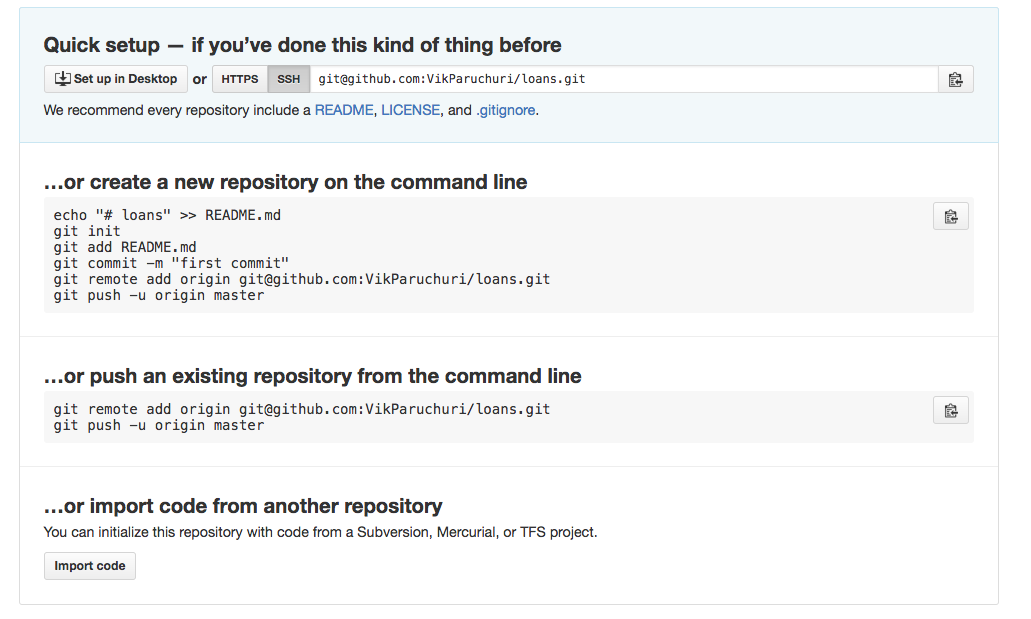
  • Name it is310-first-repo
  • Choose Public so we can see each other’s work
  • Leave README unchecked for now

Repository Settings

First Commit

Repository Settings
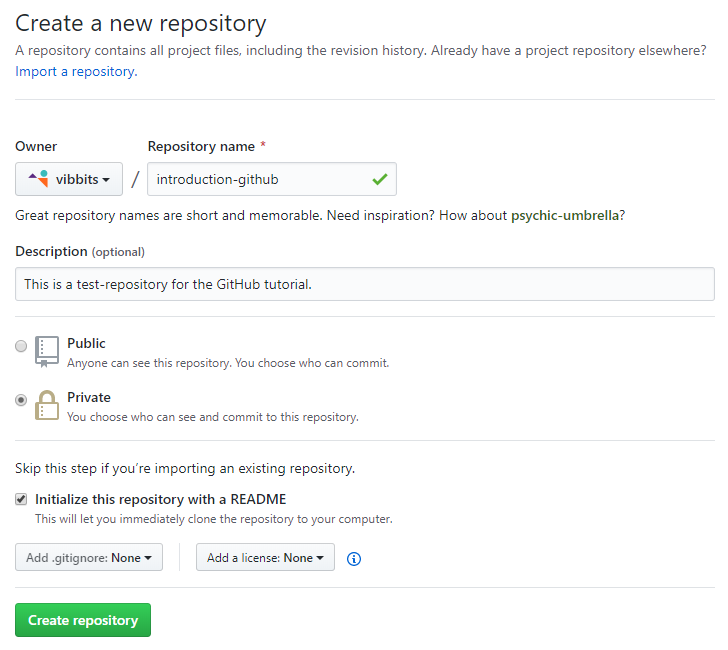
First Commit With README

To understand what each button does feel free to browse through our advanced git and GitHub resource, but first let’s try to get our local repository onto GitHub.

Connect Local to Remote

Add your GitHub repo as a “remote”:

git remote add origin https://github.com/USERNAME/is310-first-repo.git

Connect Local to Remote

Verify it worked:

git remote -v
origin  https://github.com/username/repository.git (fetch)
origin  https://github.com/username/repository.git (push)

Push to GitHub

git push [remote repository] [flags] [local repository]

Push to GitHub

Send your local commits to GitHub:

git push origin main
Enumerating objects: 3, done.
Counting objects: 100% (3/3), done.
Writing objects: 100% (3/3), 226 bytes | 226.00 KiB/s, done.
To github.com:username/is310-first-repo.git
 * [new branch]      main -> main

Fatal Errors?

If you see a fatal error that looks like this:

fatal: 'origin' does not appear to be a git repository
fatal: Could not read from remote repository.

Please make sure you have the correct access rights
and the repository exists.

Editing on GitHub

Create Files in the Browser

Click Add file > Create new file

Add file button

Create a README.md

Create a README.md
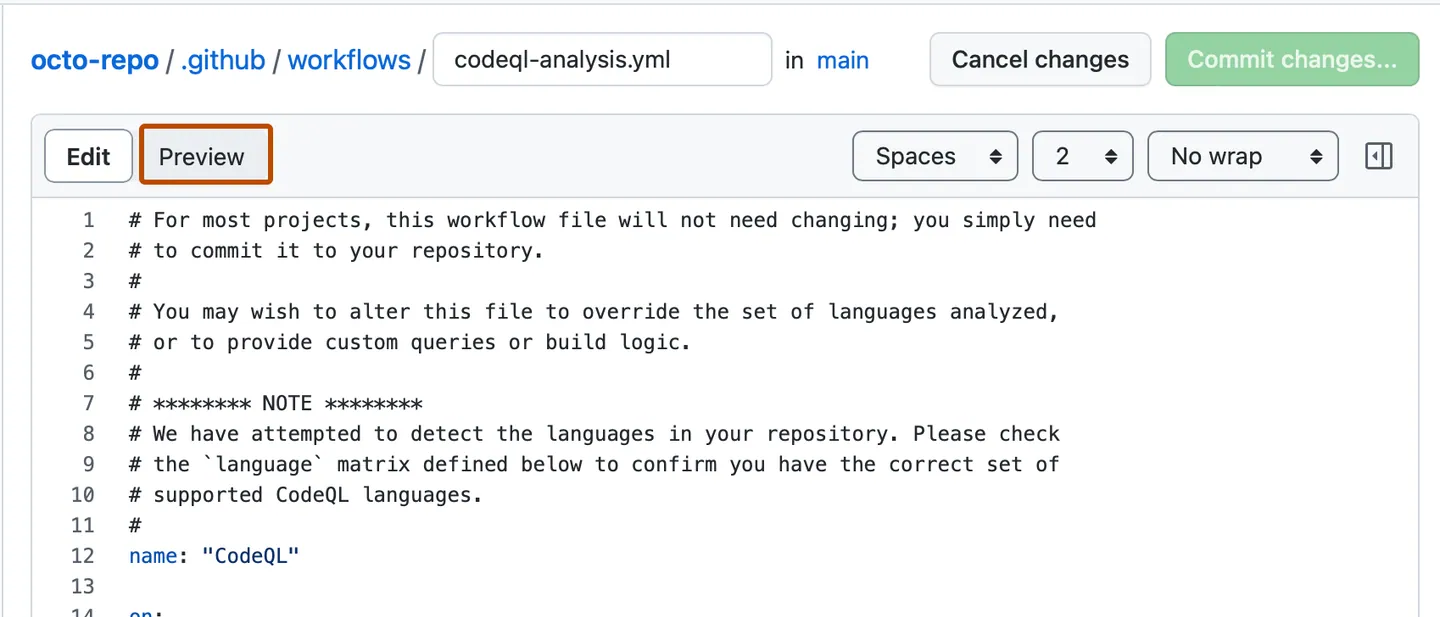
Name your file README.md and add:

# IS 310 Test Repository

This is my first repository.

Create a README.md

  • Click Preview to see formatted output
  • Click Commit changes
  • Add a commit message
  • Select main branch

GitHub Dev (Bonus Feature)

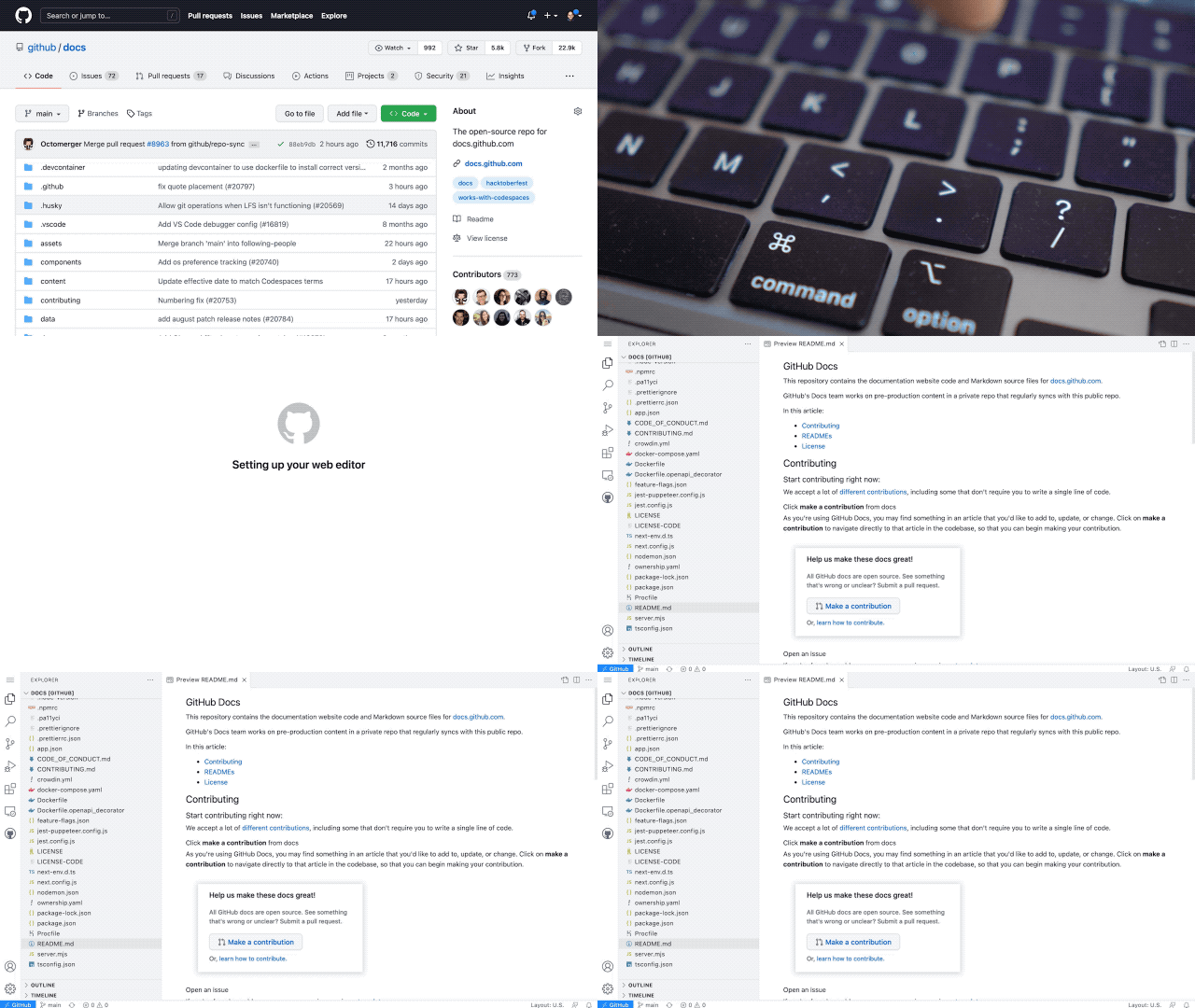
Change github.com to github.dev in your URL. So for us, we would change https://github.com/[USER NAME]/is310-first-repo to https://github.dev/[USER NAME]/is310-first-repo.
GitHub Dev

GitHub Dev (Bonus Feature)

Or press . on any repository
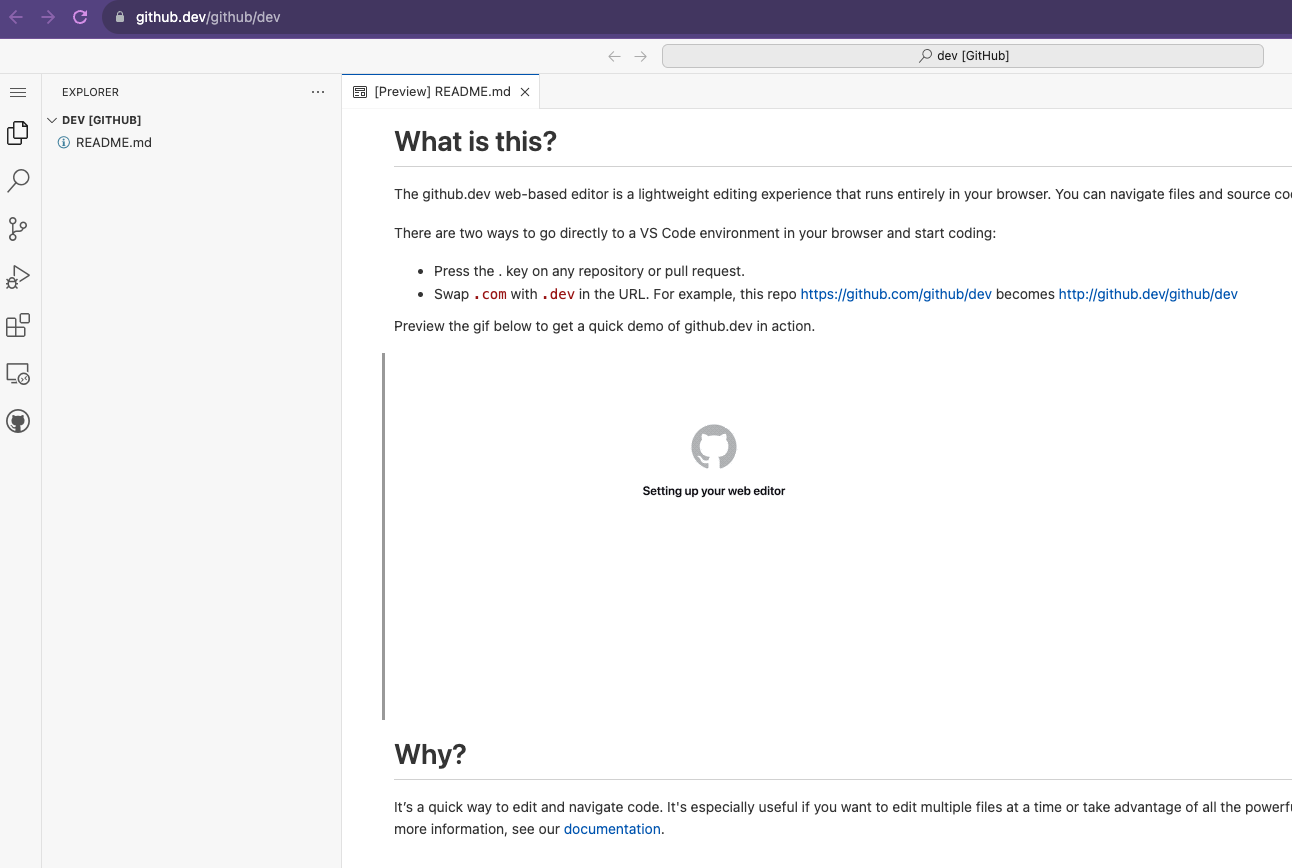
GitHub Dev interface

It’s VS Code in your browser! You can read more about it https://docs.github.com/en/codespaces/the-githubdev-web-based-editor.

Pulling Changes

The Problem

Now we have two versions:

  • Local repository (on your computer)
  • Remote repository (on GitHub)

They have different files! How do we sync them?

Pull from GitHub

git pull origin main
remote: Enumerating objects: 4, done.
remote: Counting objects: 100% (4/4), done.
remote: Compressing objects: 100% (2/2), done.
remote: Total 3 (delta 0), reused 0 (delta 0), pack-reused 0
Unpacking objects: 100% (3/3), 935 bytes | 233.00 KiB/s, done.
From github.com:ZoeLeBlanc/is310-first-repo
 * branch            main       -> FETCH_HEAD
   d8dad7b..832b673  main       -> origin/main
Updating d8dad7b..832b673
Fast-forward
 README.md | 1 +
 1 file changed, 1 insertion(+)
 create mode 100644 README.md

Now ls shows the README.md file locally!

The Complete Workflow

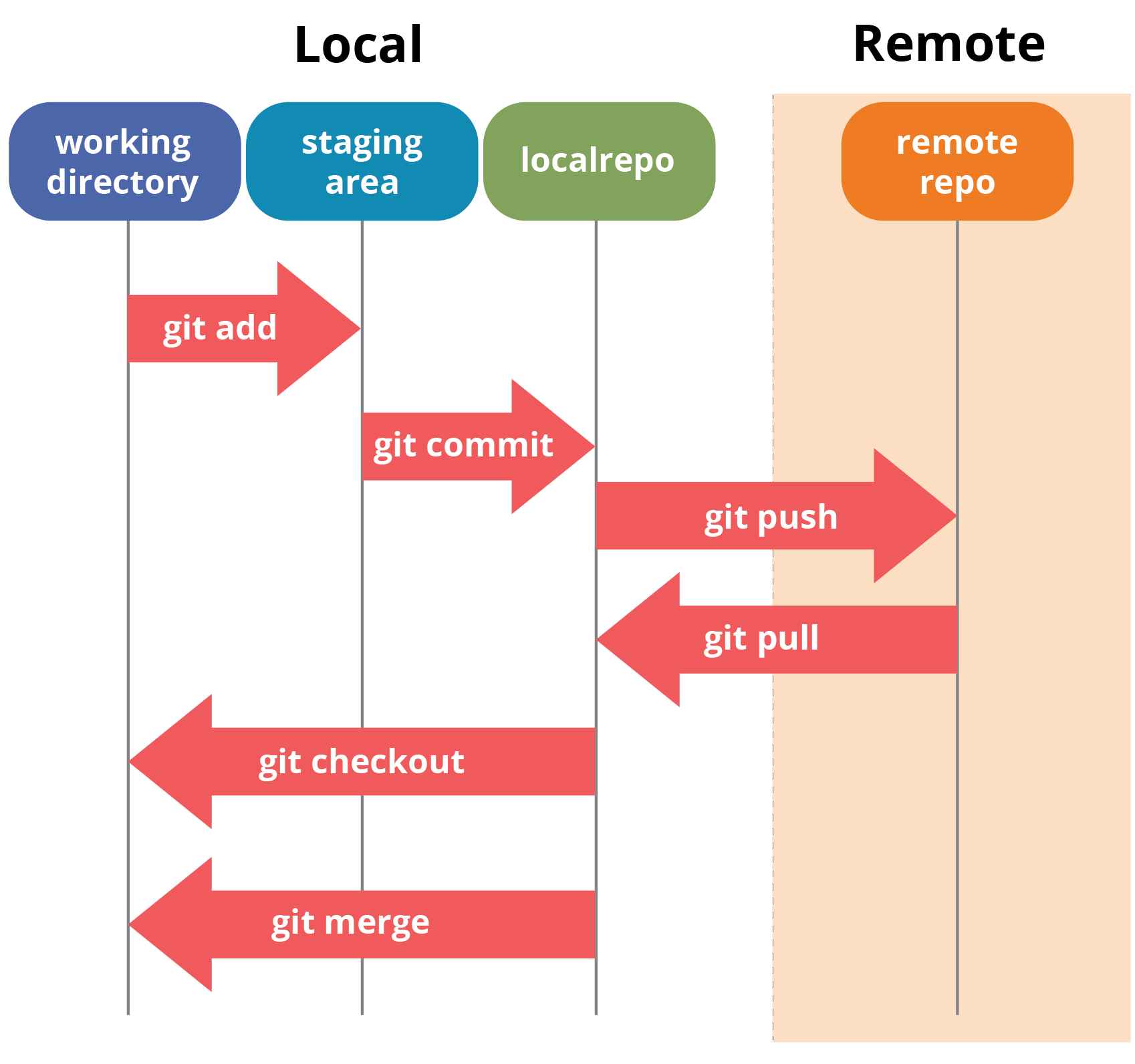
Git architecture

Core Workflow Summary

  1. Edit files locally
  2. Add to staging: git add <file>
  3. Commit snapshot: git commit -m "message"
  4. Push to GitHub: git push origin main
  5. Pull from GitHub: git pull origin main

Homework: Init IS310

Your Assignment

  • Create a new GitHub repository called is310-coding-assignments.
  • Create a new directory in your local computer called is310-coding-assignments and enable it as a git repository.
  • Create a Markdown file called README.md within is310-coding-assignments.
  • Create a Markdown file called ai-chat-log.md if you use AI for the assignment.
  • Create a folder called images within is310-coding-assignments.

README Template

# Init IS310 Homework

## Proof of Installation

1. Python

![Python Installation](images/python-installation.png)

2. Git

![Git Installation](images/git-installation.png)

3. VS Code

![VS Code Installation](images/vscode-installation.png)

4. Hypothesis Username

5. AI Tool/Workflow

Detail what AI tool, if any, you plan to use this semester.

AI Chat Log

If you use AI to help complete this assignment, include:

# AI Chat Log

## Init IS310 Homework

- Tool used:
- Prompts/conversation:
- What changed because of the AI help:

Pushing Your Homework

git add .
git commit -m "Init IS310 Homework"
git push origin main

Remember to connect local to remote first:

git remote add origin https://github.com/USERNAME/is310-coding-assignments.git

Post your repo link in the first GitHub discussion!

Resources

Questions?

Key takeaways:

  • Git = local version control
  • GitHub = remote hosting platform
  • Workflow: edit → add → commit → push/pull
  • Commit messages should be descriptive!

Today’s Seminar Focus

We are thinking about two connected problems:

  1. How culture gets translated into data.
  2. Which disciplines claim authority over that translation.

Working question: What changes when we call this course Culture As Data?

First Reading: Types of Cultural Data

What is Cultural Analytics and who is Lev Manovich?

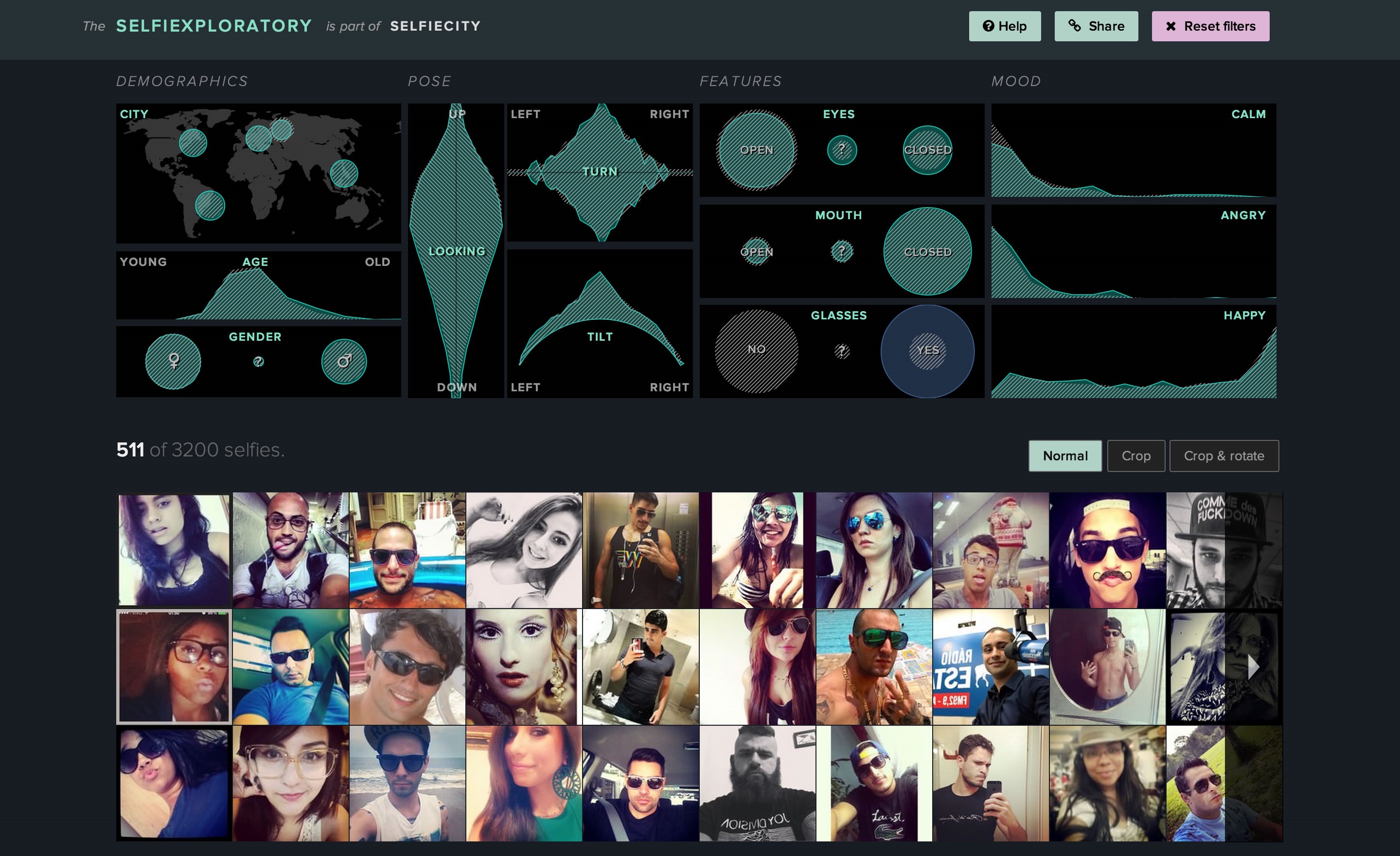
Example of Cultural Analytics: SelfieCity
Second Reading: Humanities Data

What is humanities data and who is Miriam Posner?

How can we connect these two readings?

What do both say about art history?

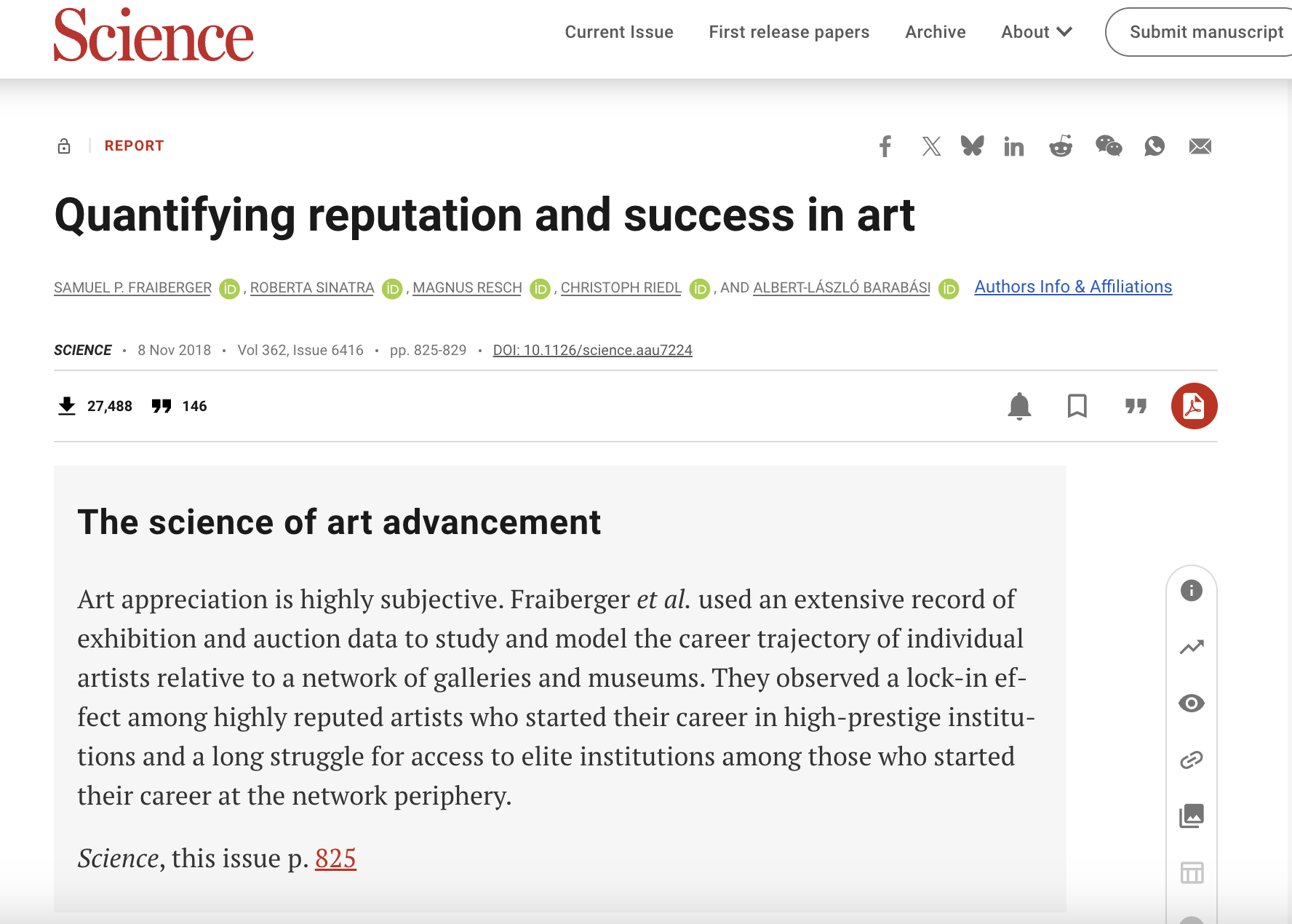
Manovich: Quantifying reputation and success in art
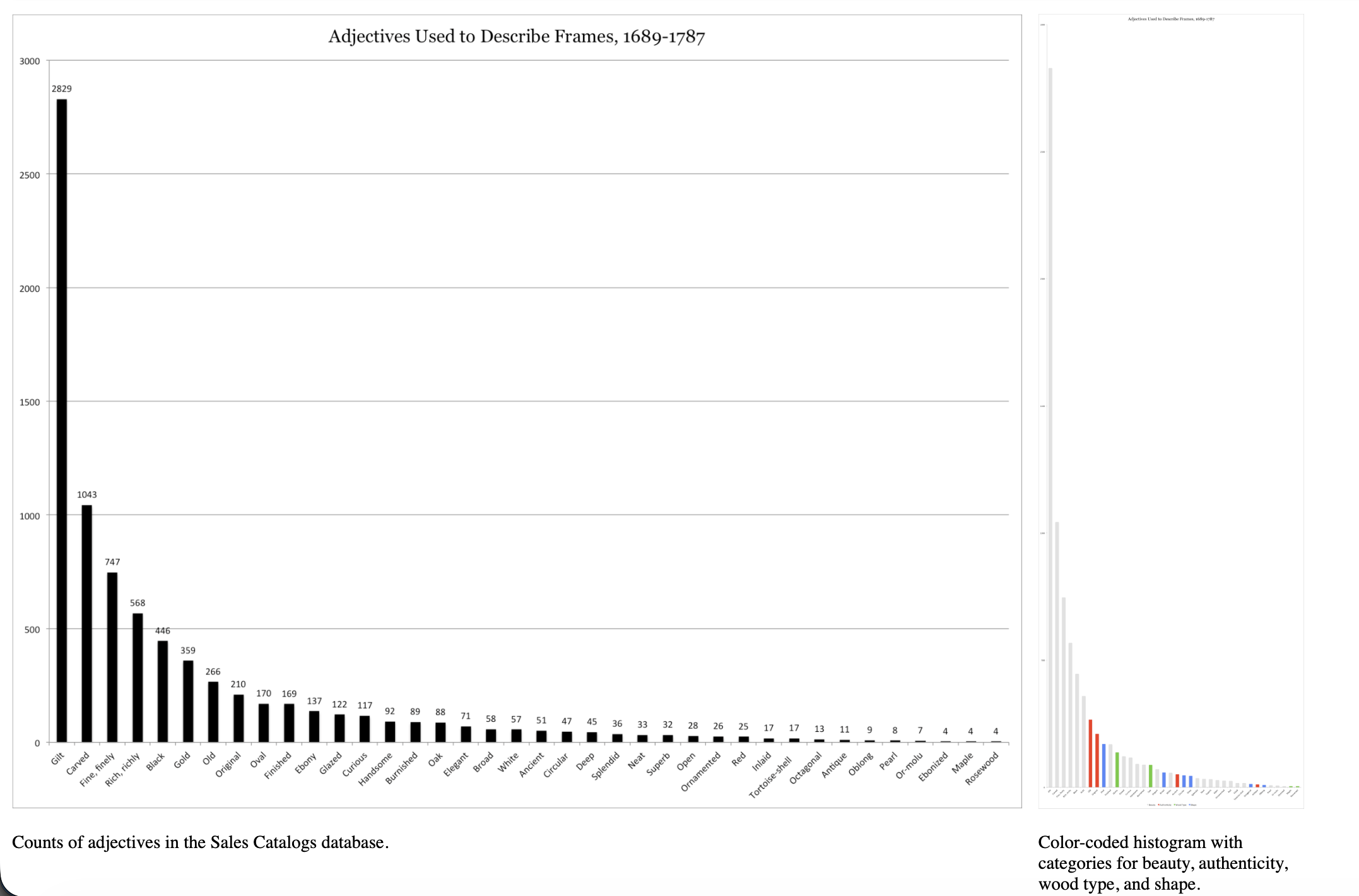
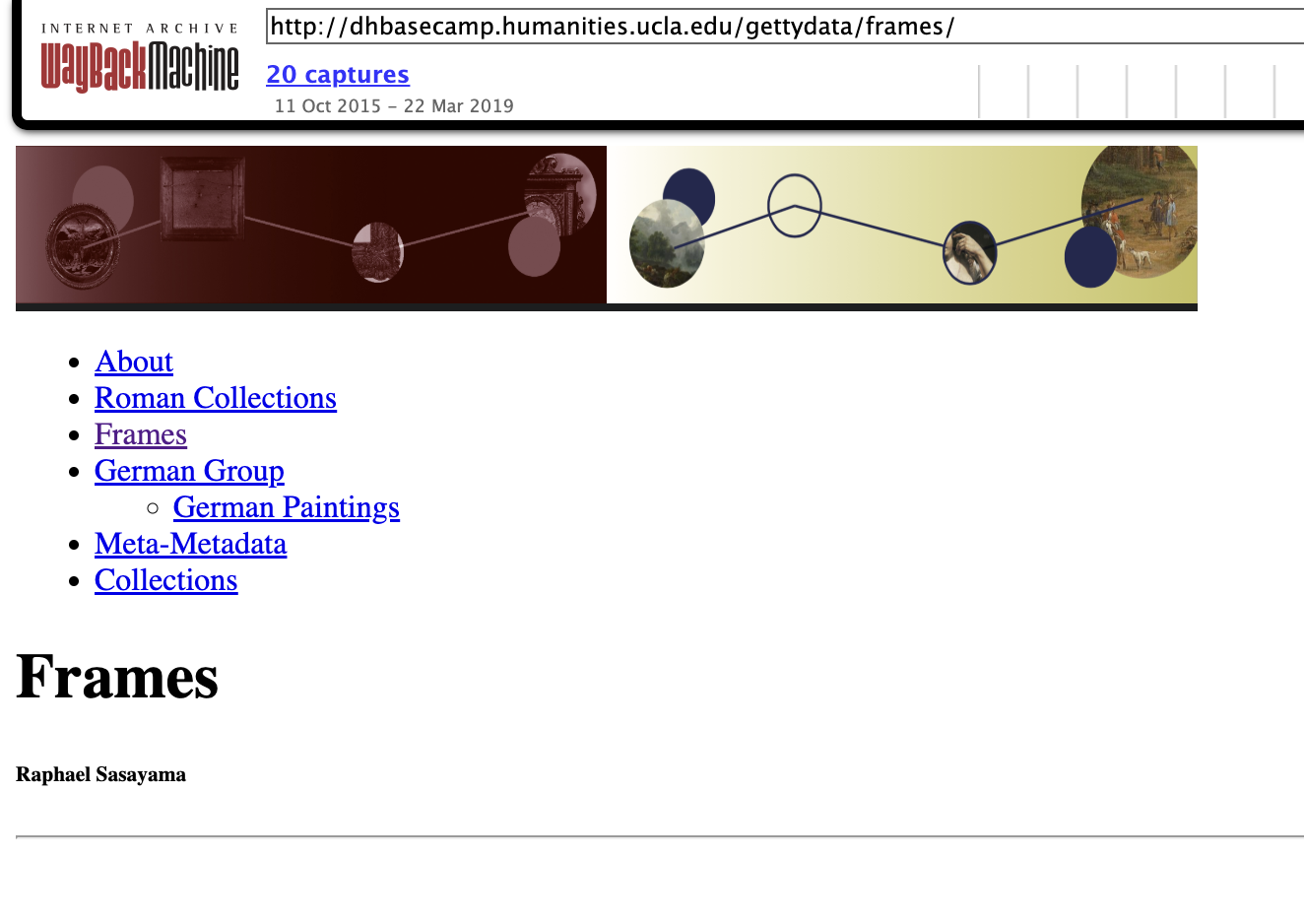
Posner: Getty Frames
Contrast & Compare

  • What do these two examples have in common?
  • How does each approach culture as data?
  • What is Art History in each example?

What Are Networks & Disciplines?

What Is Network Science?

How does this differ from social networks? Is everything a network?

Network Science vs. Social Networks

Term What It Means Here
Network science A method for studying relationships among nodes.
Social networks Platforms or communities where people connect and leave traces.
Network as metaphor A way we now describe almost everything: influence, publics, infrastructure, culture.

How do we define a discipline?

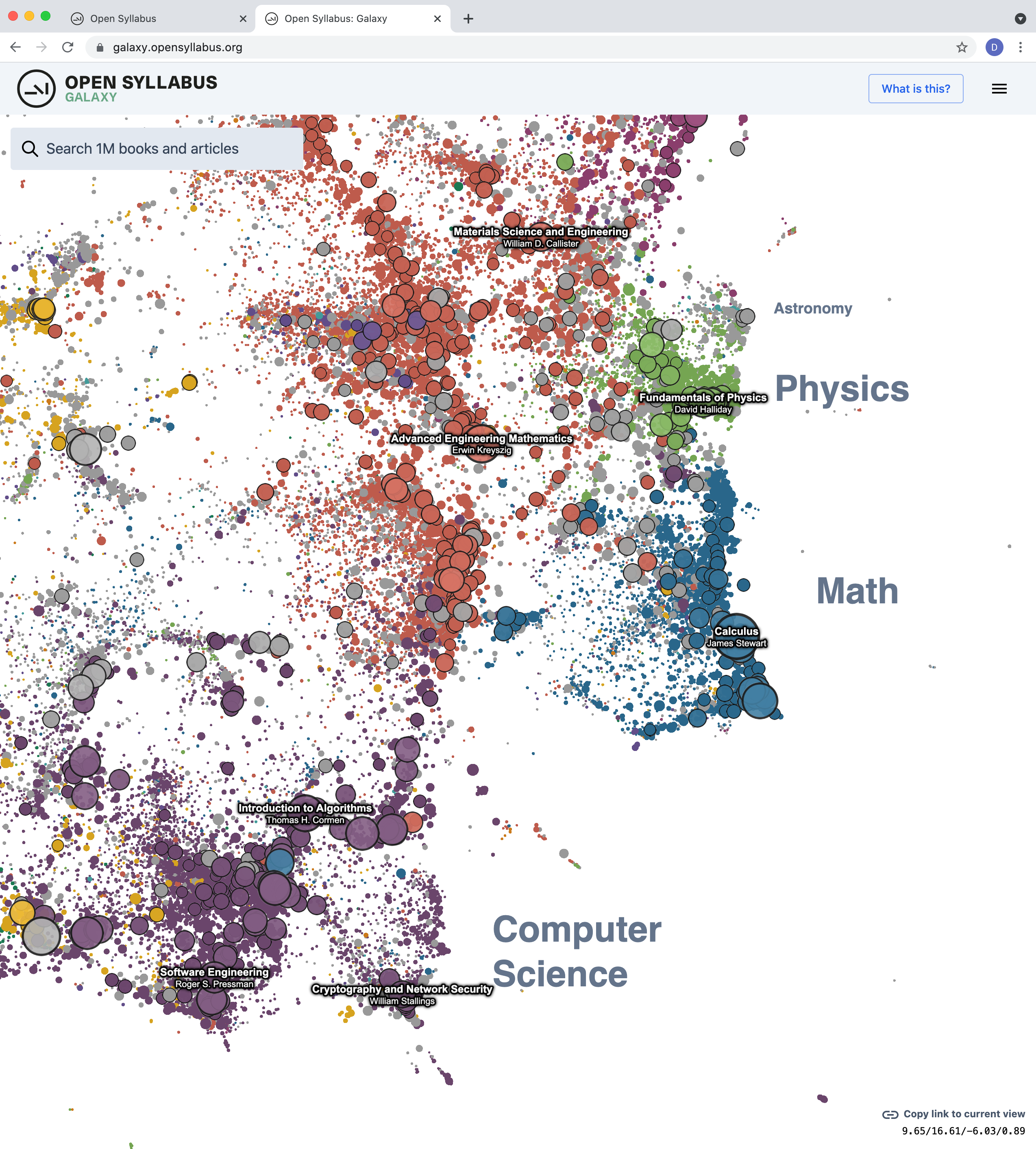
Let’s explore this project! What trends do you notice?

Open Syllabus Project

How might we use data to understand the boundaries or definitions of disciplines?
Rise of Cultural Analytics

Where is cultural analytics in the Open Syllabus Project?

Why do disciplines matter for culture as data?

  • What is the trouble with humanities data and how does that relate to disciplines?
  • What are Manovich’s typologies and how do they relate to disciplines?

Posner’s Examples

What are the challenges with humanities data? What makes it different from other types of data?

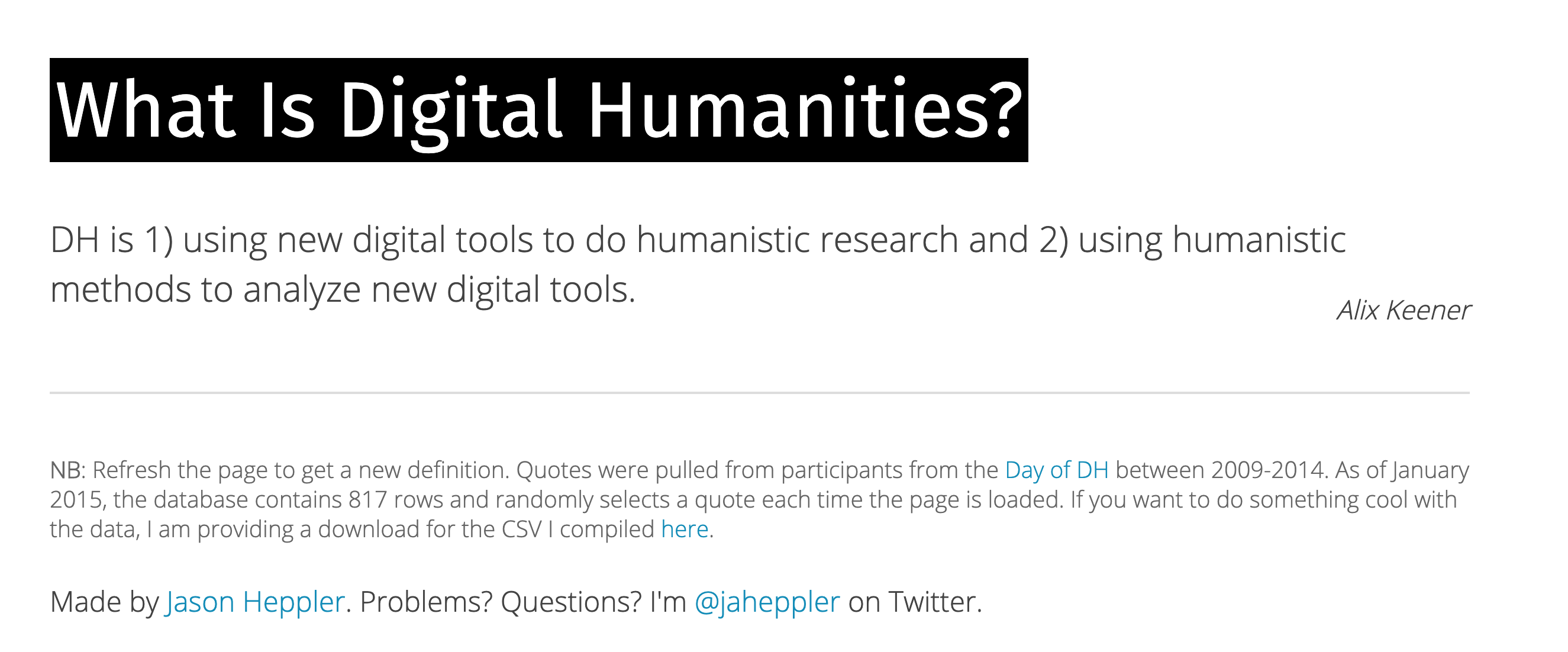
What can we understand about digital humanities from Posner?

This is why, more than anything else, I think digital humanities is here to stay. If you can analyze something computationally, I think it’s going to be really hard to tell people that they shouldn’t.

How Can We Relate to Manovich’s Initial Questions?

What does it mean to represent a cultural object, process, or experience as data that can be then analyzed computationally? What elements of these objects, processes, and experiences can be captured, and what remains outside? How can we represent people interactions with computational cultural artifacts and systems that can react to human behaviors, communicate with them (e.g., as AI interfaces can), and act in seemingly intelligent ways? These are all fundamental questions for cultural analytics.

What Are Manovich’s Other Typologies?

  • What are the four categories of cultural data?
  • What is the difference between cultural data, cultural information, and cultural discourse?
  • What are the three types of digital representations?

Typology 1: Four Categories of Cultural Data

  • How does he define digital? Does this differ from how we define data?
  • Do you agree with his four categories? Are there other categories that might be useful?
Category Examples
Media Images, videos, music, games, websites, apps, artworks
Behaviors Likes, shares, ratings, purchases, searches, physical actions
Interactions Gameplay, app use, VR/AR activity, software-mediated choices
Events Performances, exhibitions, festivals, protests, workshops

Examples of Media?

  • What are some of the examples Manovich gives for media? What are some other examples you can think of?
  • Had you heard of these before?
  • What are some of the challenges of analyzing these media?

Examples of Behaviors?

  • What are digital vs. physical traces? Had anyone heard of digital trace data before?
  • What are some of the examples Manovich gives for behaviors? What are some other examples you can think of?
  • How does the approach differ for digital vs. analog traces? What are some of the challenges of analyzing these behaviors?

Examples of Interactions?

  • How does Manovich define interactions? What disciplines does he say focus on this area?
  • How does this relate to software and interactivity?

Examples of Events?

  • What are some of the examples Manovich gives for events? What are some other examples you can think of?
  • How does this relate to the other three categories? What challenges of privacy and surveillance are involved in analyzing these events?

Typology 2: Data, Information, Discourse

Manovich also distinguishes:

  • Cultural data: artifacts and systems.
  • Cultural information: metadata about those artifacts.
  • Cultural discourse: reviews, ratings, comments, posts, responses.

Why separate these?

Typology 2: Data, Information, Discourse

Manovich also distinguishes:

  • Cultural data: artifacts and systems.
  • Cultural information: metadata about those artifacts.
  • Cultural discourse: reviews, ratings, comments, posts, responses.

Why separate these? What is Born Digital Vs. Digitized?

Typology 3: Three Types of Digital Representations

  • Born digital artifacts
  • Digitized artifacts that originated in other media
  • Cultural experiences

Groups & Semester Long Project

  • Groups are currently tentative. We will finalize them in the next class.
  • Each group will choose a cultural phenomenon to study, let’s start exploring Responsible Datasets in Context for ideas.