Introduction to the Web & Servers

How does the web work? How do we host our webpages?

Today’s Agenda

Any Volunteers?

What is the Web?

We all use the web constantly, but what exactly is it?

The World Wide Web

From Wikipedia:

“The World Wide Web (WWW), commonly known as the Web, is an information system where documents and other web resources are identified by Uniform Resource Locators (URLs), which may be interlinked by hypertext, and are accessible over the Internet. The resources of the WWW are transferred via the Hypertext Transfer Protocol (HTTP) and may be accessed by users by a software application called a web browser and are published by a software application called a web server.”

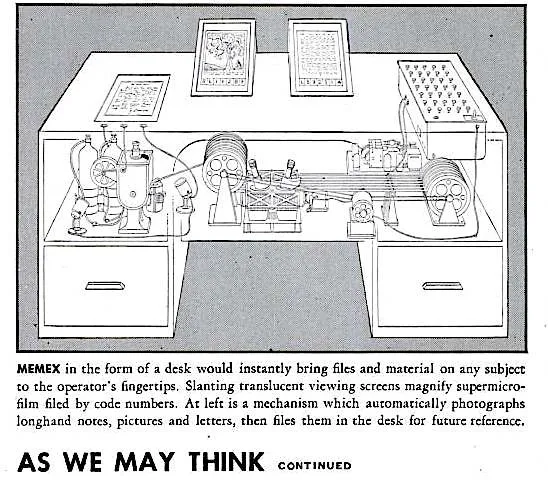
Histories of the Web: Memex

The core idea of hypertext and the web is about linking information across machines.

We’ve seen this previously with Vannevar Bush’s Memex (1940s), which envisioned using microfilm to link information
Histories of the Web: Xanadu

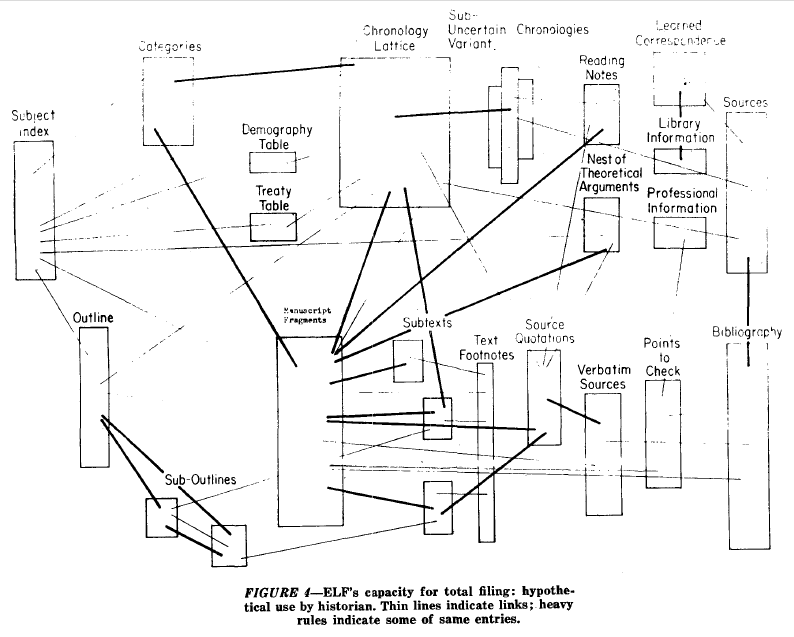
Project Xanadu Schematic

Histories of the Web: Mouse & NLS

Histories of the Web: ARPANET

Histories of the Web: USENET

Histories of the Web: Humanist Listserv

Histories of the Web: World Wide Web

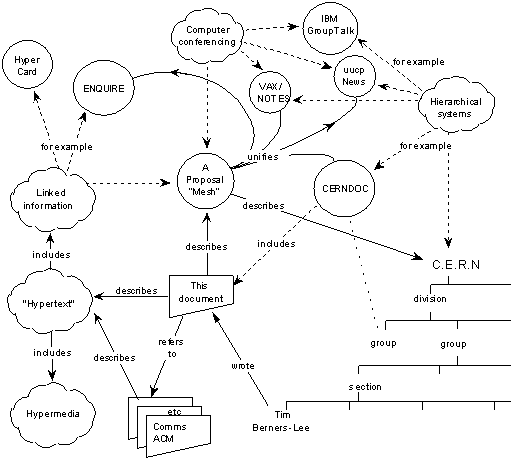
Tim Berners-Lee’s initial vision for the web

What did Berners Lee Invent Exactly?

Berners-Lee developed three key components:

  • URI
  • HTTP
  • HTML

What is a URL?

A URL (Uniform Resource Locator) is a web address—a string of characters that provides a way to access a specific resource on the web.

URLs are made up of different components:

URL Anatomy

How do we write URLs in HTML documents?

<a href="https://ischool.illinois.edu/">My first page!</a>

This creates a hyperlink or link that allows us to connect webpages.

How does the web work?

What is this model?

How the internet works

  • Client = computer that requests data
  • Server = computer that hosts and sends data

How do Clients and Servers Communicate?
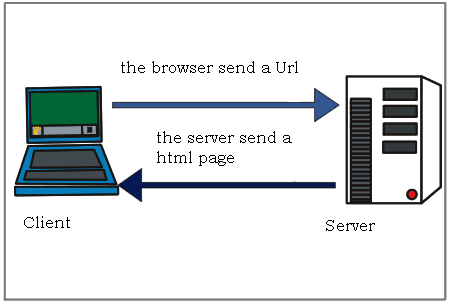
Client-Server communication

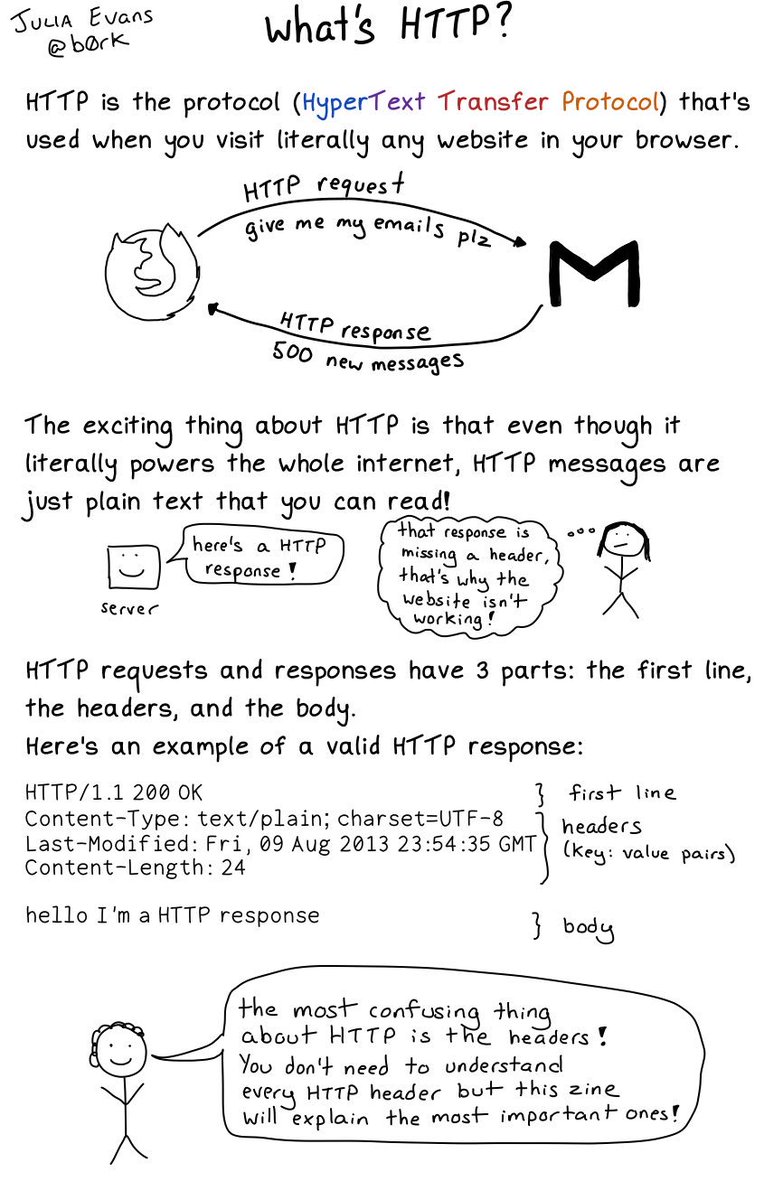
What is HTTP?

What is the difference between http:// and https://?

URL Protocol

How can you see an HTTP response?

What is an HTTP status code?
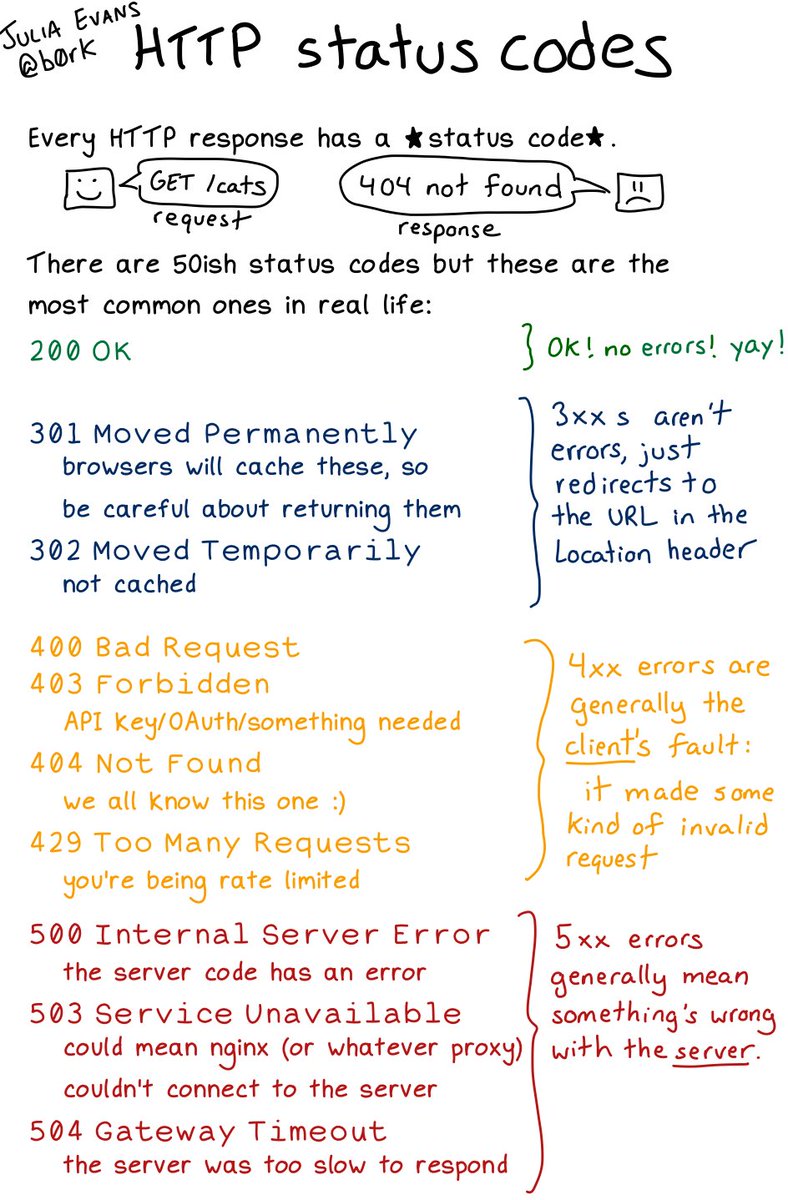
What does 404 indicate?
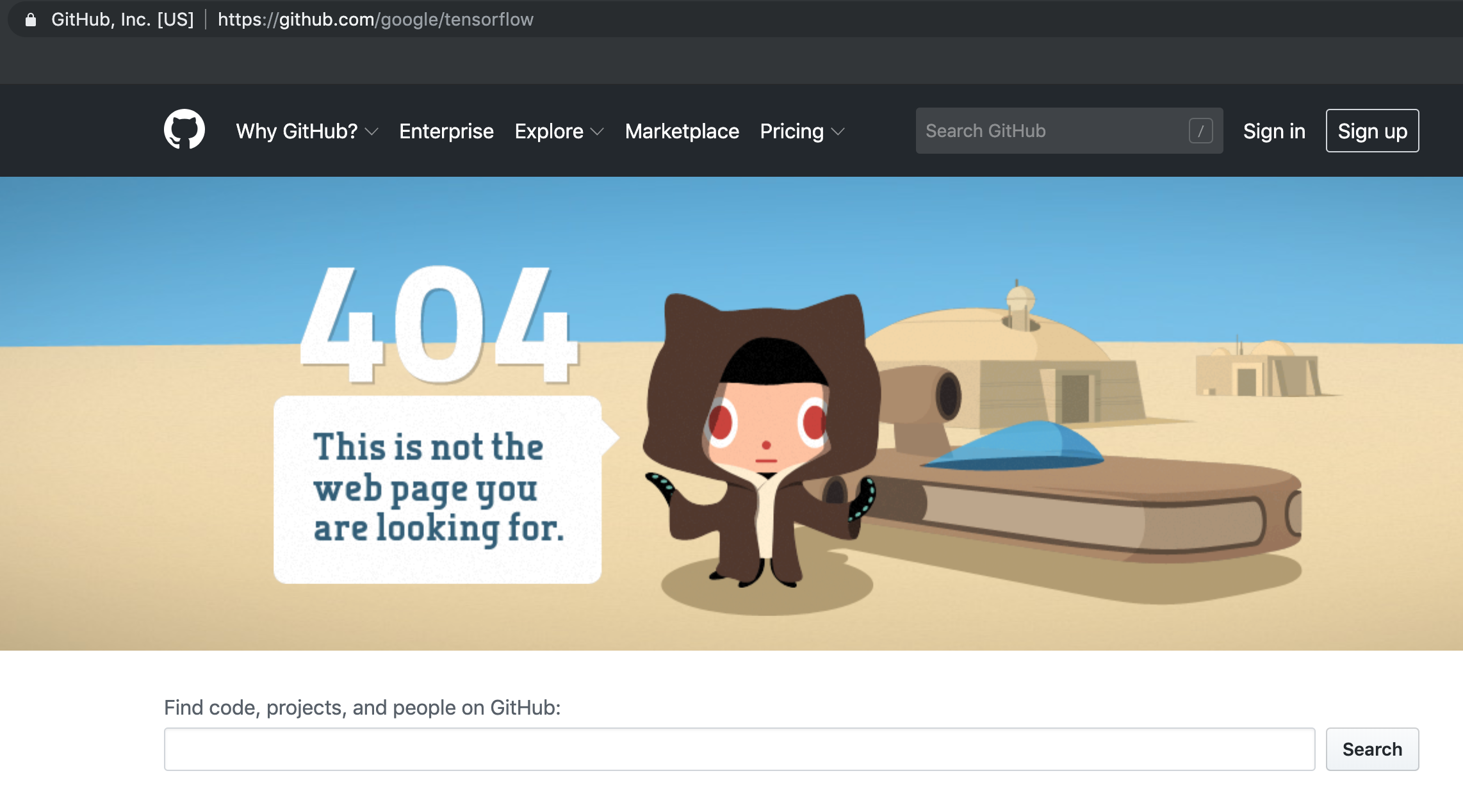
Has anyone seen this before?

What is the difference between Websites, Browsers, and Search Engines?
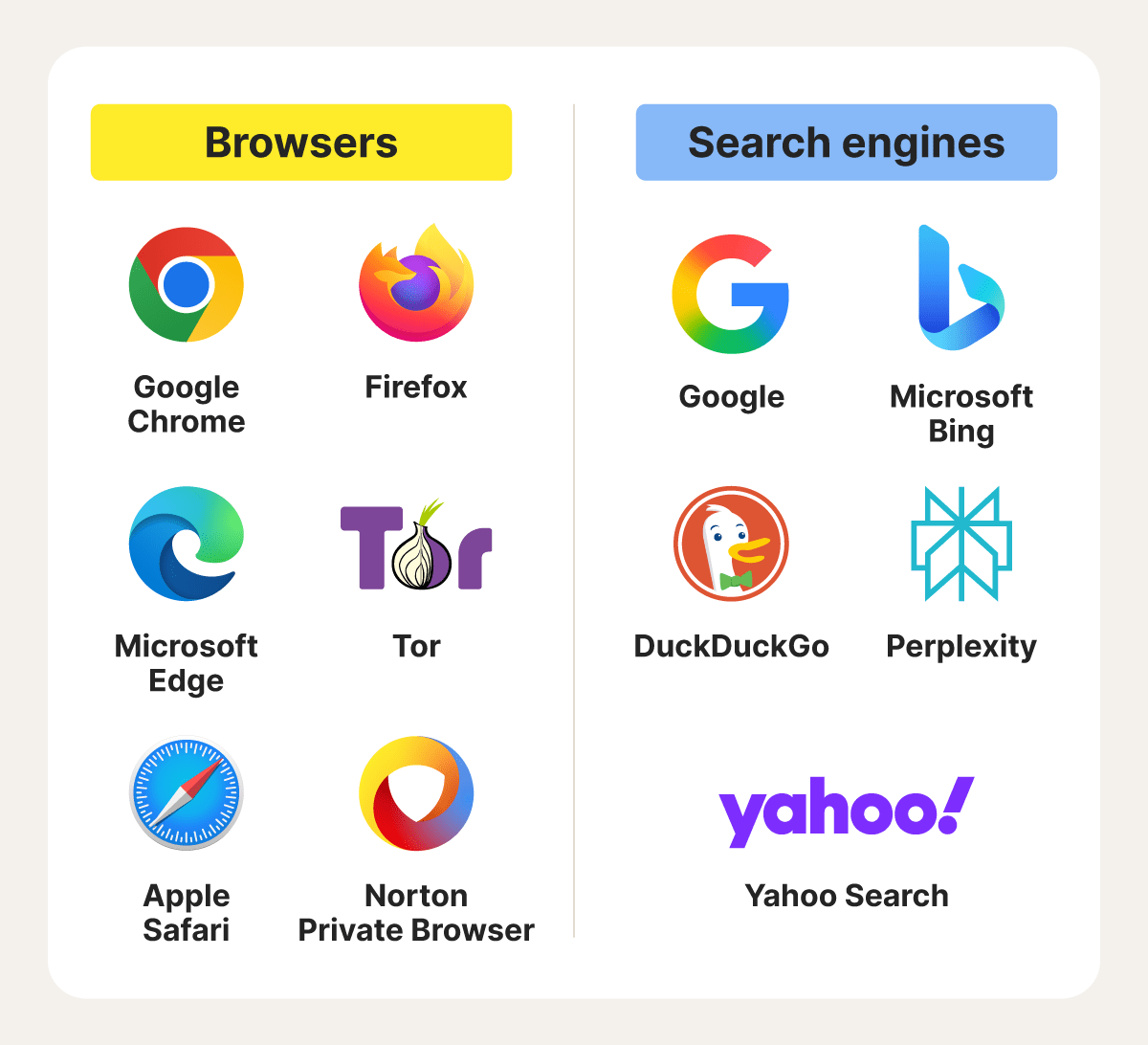
Histories of the Web: Mosaic

What is a Domain Name?

URL Authority/Domain Name

What is Sandra Bullock typing in this clip?

https://youtu.be/M1K-B8QVLyo?t=242
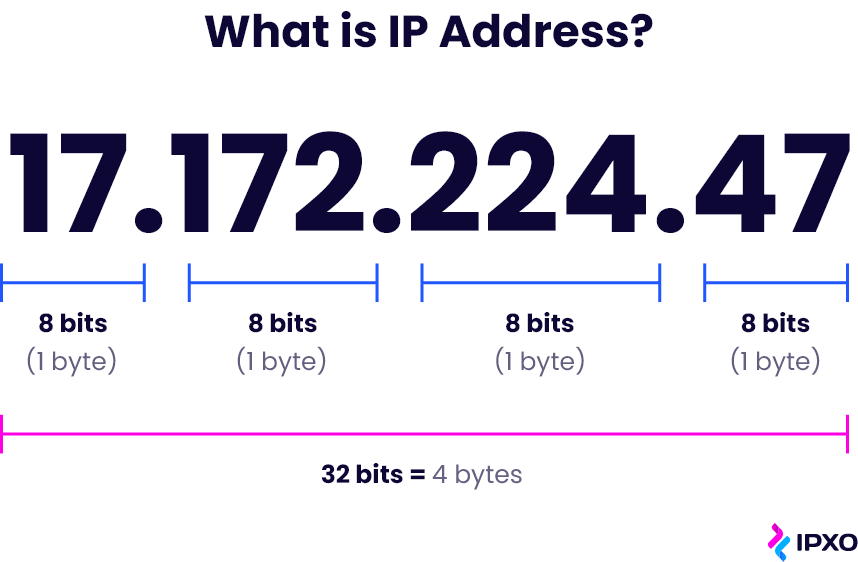
IPv4 Address

What is DNS?

What is the difference between top and second-level domains?

Domain Name Structure

Who Connects Us to the Internet?

How did internet access become a commercial service?

Histories of the Web: Submarine Cables
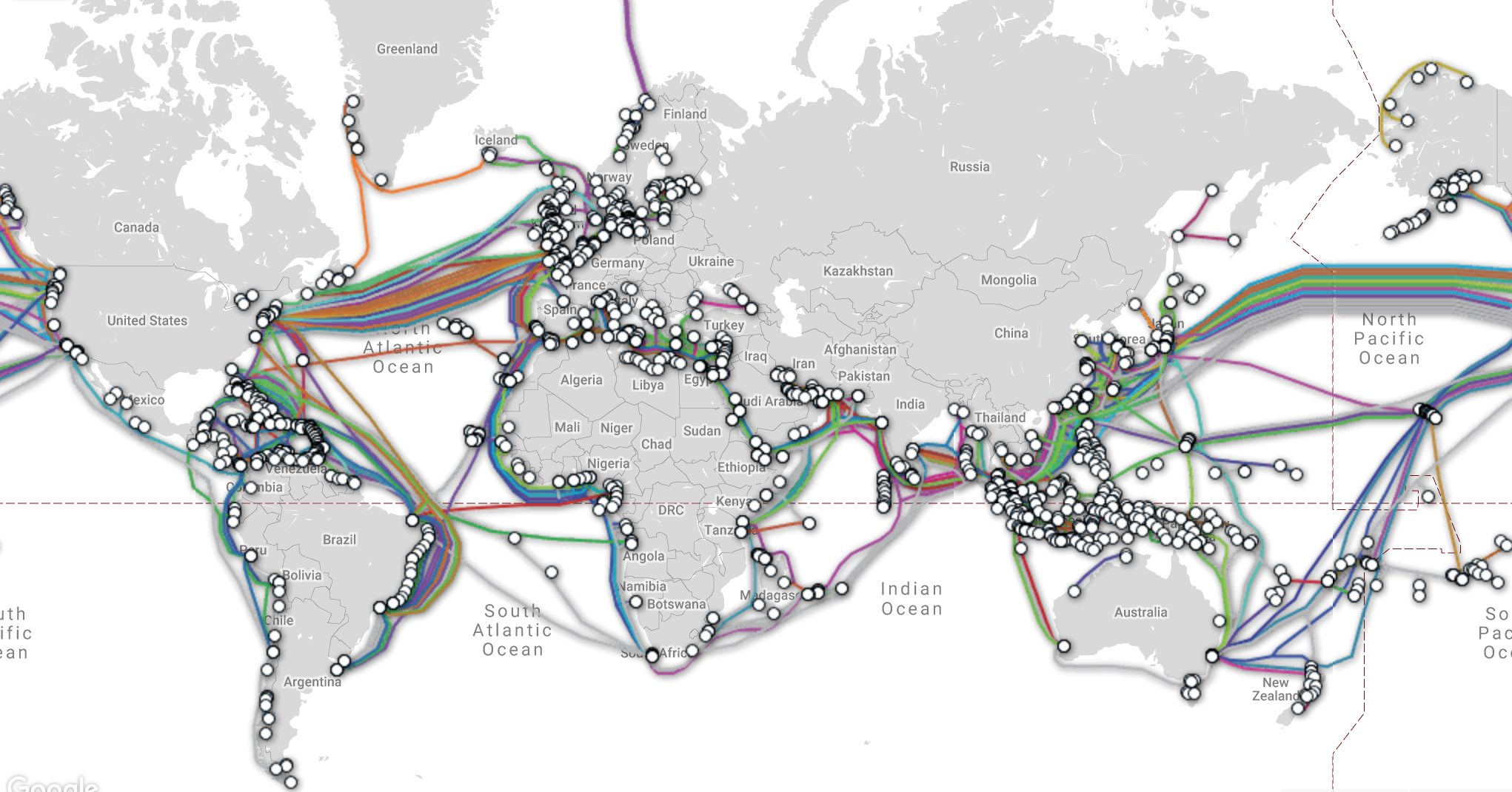
What infrastructure carries culture as data across oceans?

Who Coordinates Domain Names?
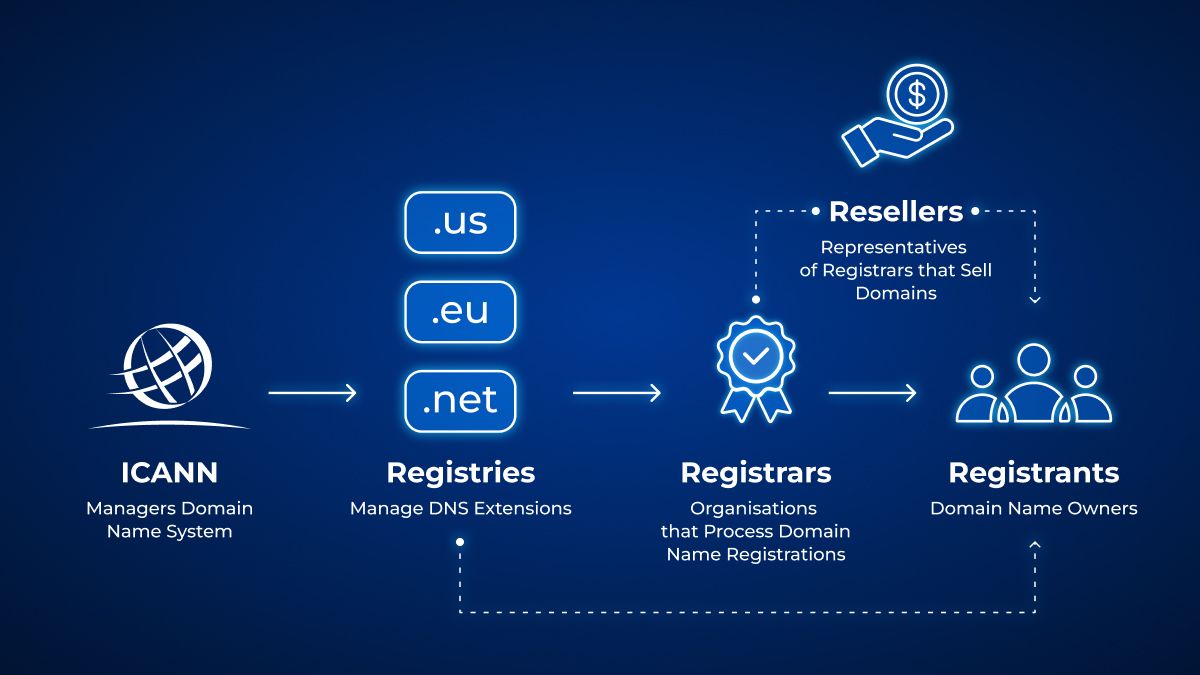
Who should have authority over a global naming system?

Learn More?

For more on TLDs, see this article about dead TLDs: https://web.archive.org/web/20240214095930/https://astrid.tech/2022/04/05/1/dead-tlds/

There’s also Ingrid Burrington’s fascinating piece on visiting a Domain-Names Conference: https://www.theatlantic.com/technology/archive/2017/02/domain-names-dot-horse/516438/

Questions About Hosting HTML Pages with GitHub Pages?
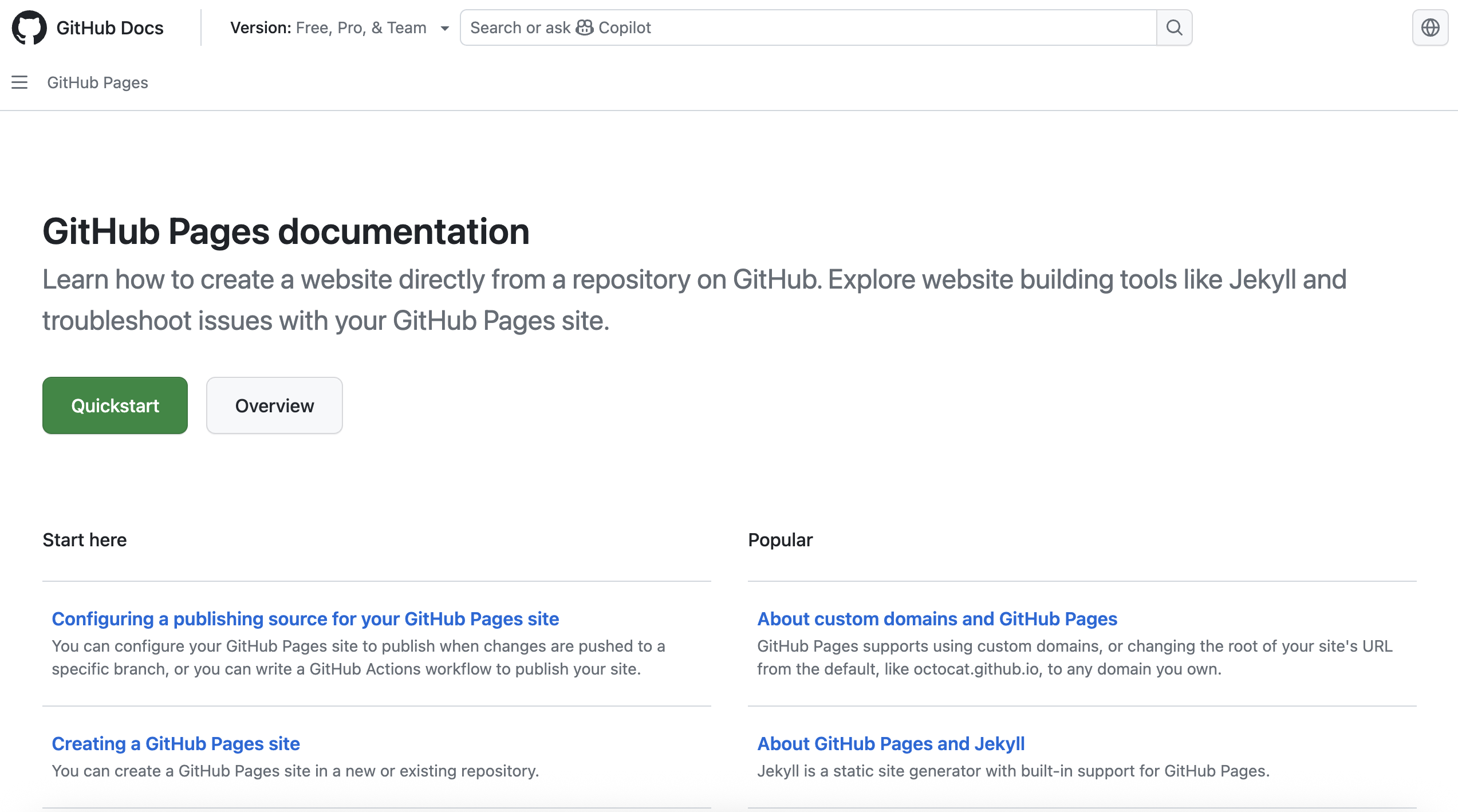
GitHub Pages Doc

REMINDER TWO OPTIONS

  • Either personal github.io site (Option 1) or group/organization site (Option 2) via cultureasdata-uiuc.github.io (Option 2)

Personal Website? First Create the Repository

How do we create a repository for our personal website?

Create a new repository with the exact name: yourusername.github.io

For example: ZoeLeBlanc.github.io
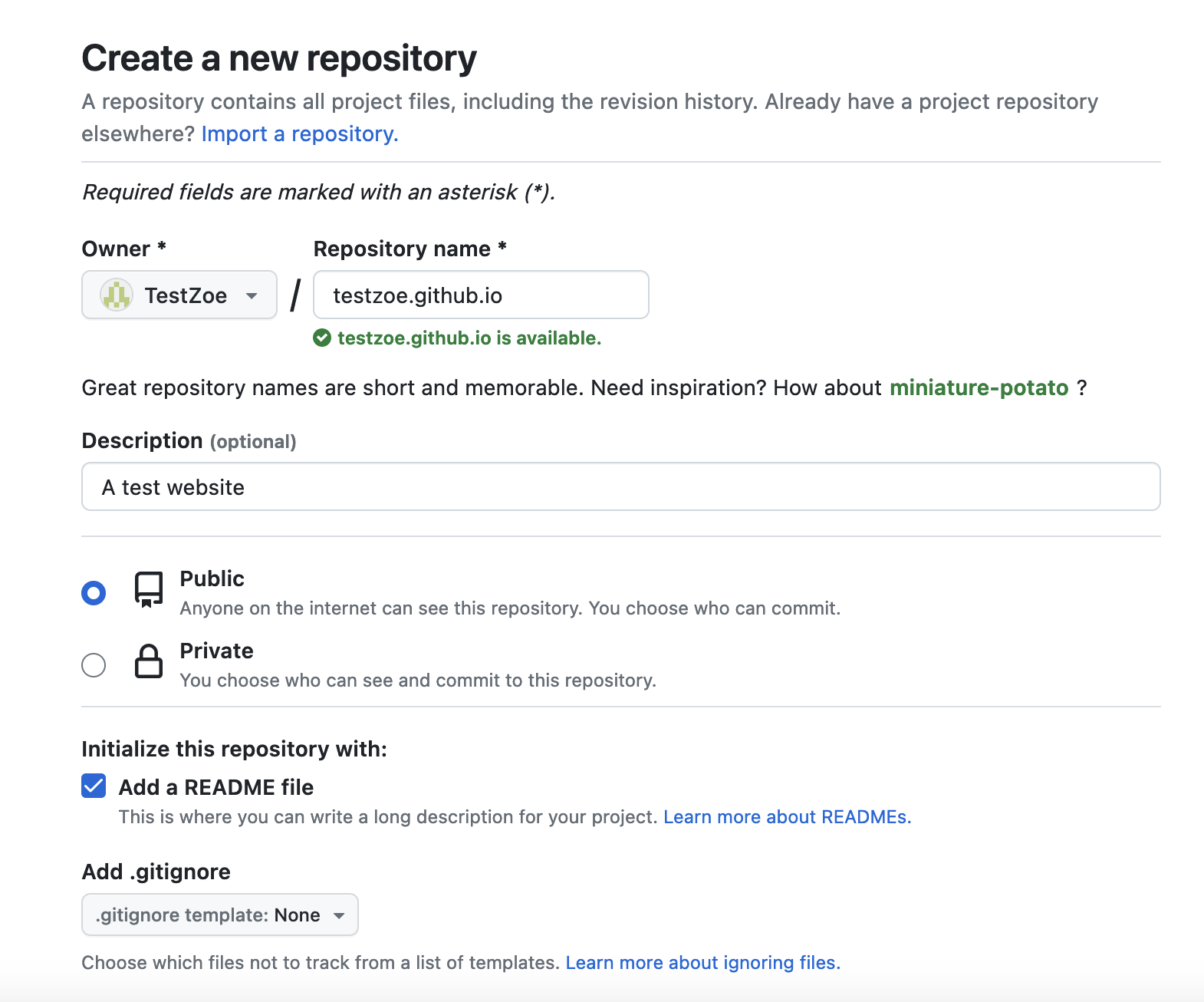
Creating a GitHub.io repository

Group Website? Find Your Group Repository

Is everyone part of a group and added to the group repository?

Add Your HTML Files

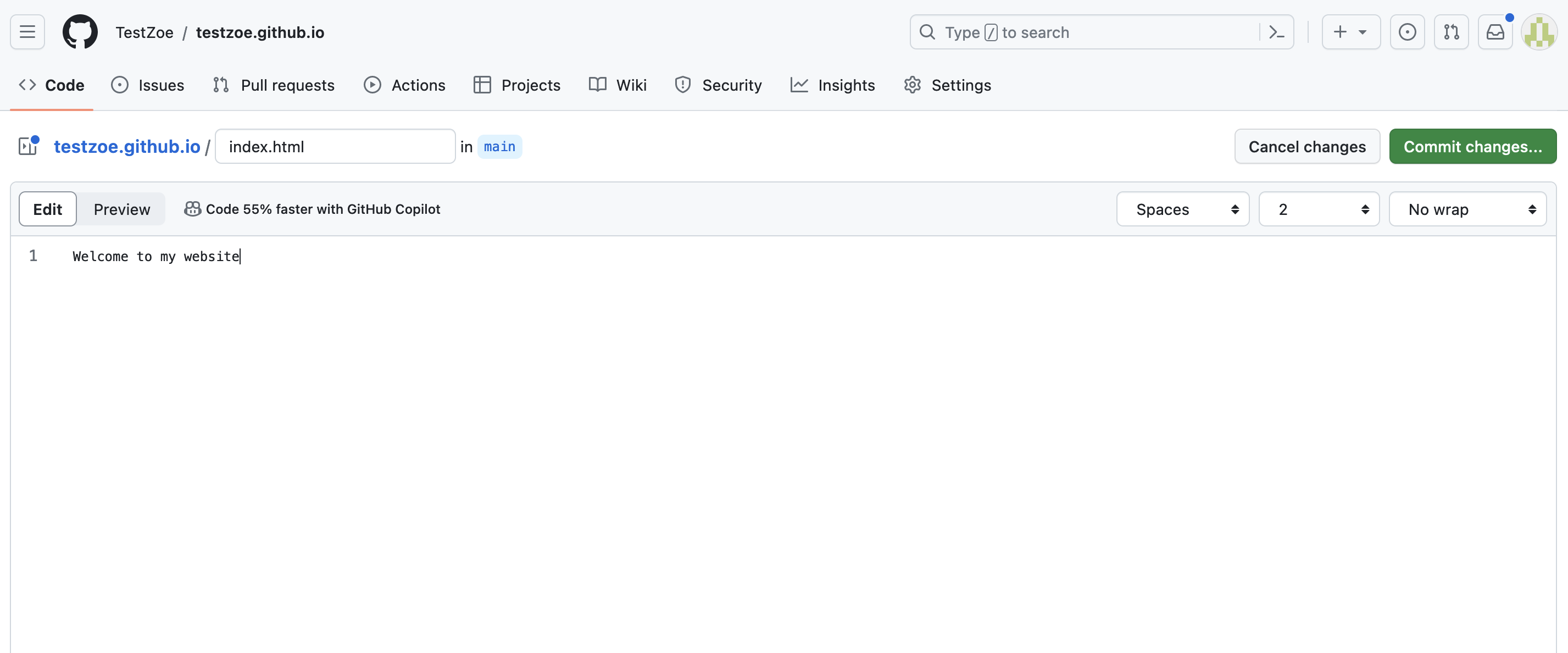
Creating index.html

Add Your HTML Files

For group websites, you’ll still create an index.html but should also create a folder structure for your digital objects:

group-repository/digital-objects/
├── index.html (main showcase page)
├── member1-name/
│   └── index.html
├── member2-name/
│   └── index.html
└── member3-name/
    └── index.html

How do we get the files on GitHub?

Use the standard git workflow:

git add .
git commit -m "Initial commit: add digital object page"
git push origin main

Enable Pages (for group websites)

In your repository, go to SettingsPages:

  • Under “Source,” select the branch (usually main)
  • Click Save

GitHub will now host your site.

Find Your Live Site

Your website is now live at: https://yourusername.github.io OR at: https://cultureasdata-uiuc.github.io/is310-fall-2026-group-*/digital-objects

Verify deployment by checking the Actions tab for green checkmarks:
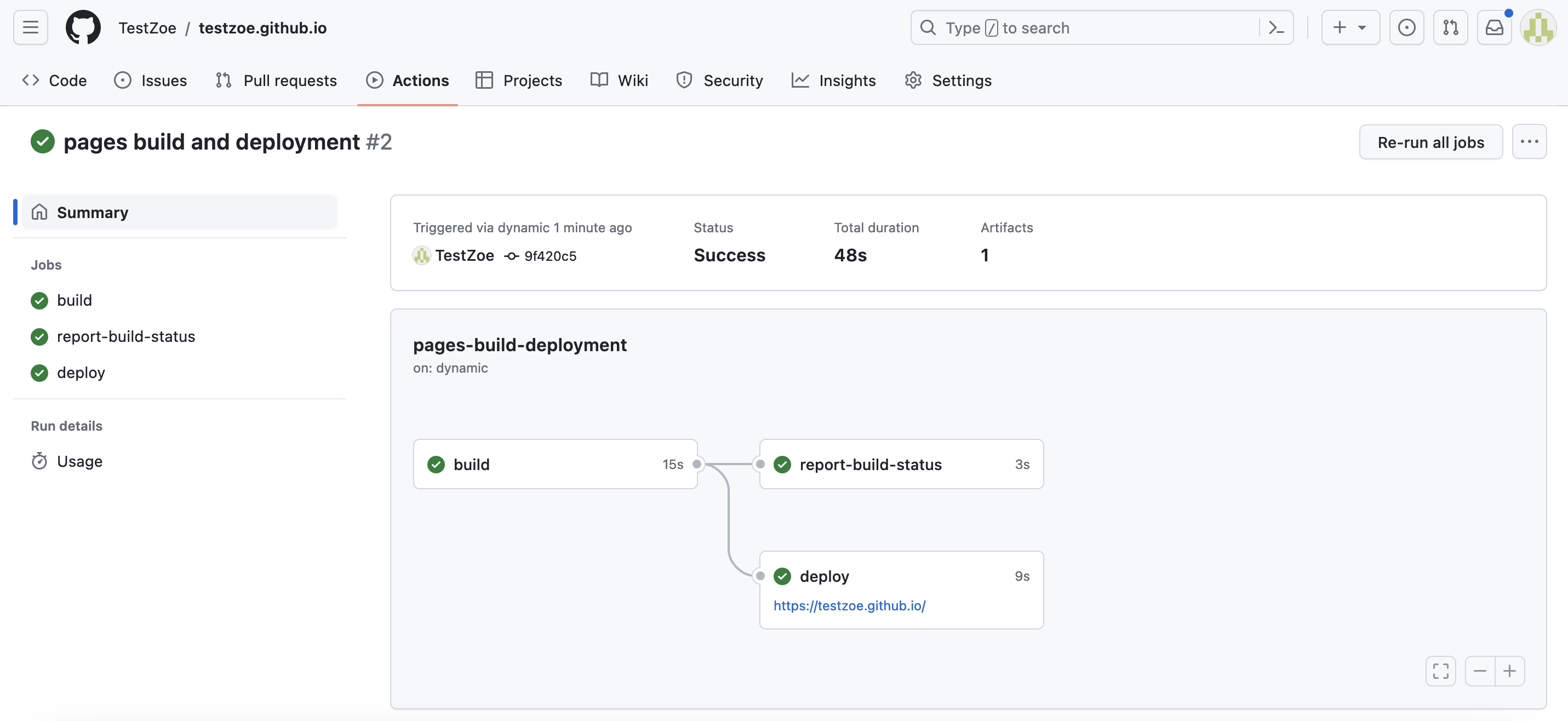
GitHub Actions

Monitoring Your Deployment

Whether you choose Option 1 or Option 2, you can always check your deployment status:

  1. Go to your repository on GitHub
  2. Click the Actions tab
  3. Look for the most recent workflow run

A green checkmark ✓ means your site deployed successfully.
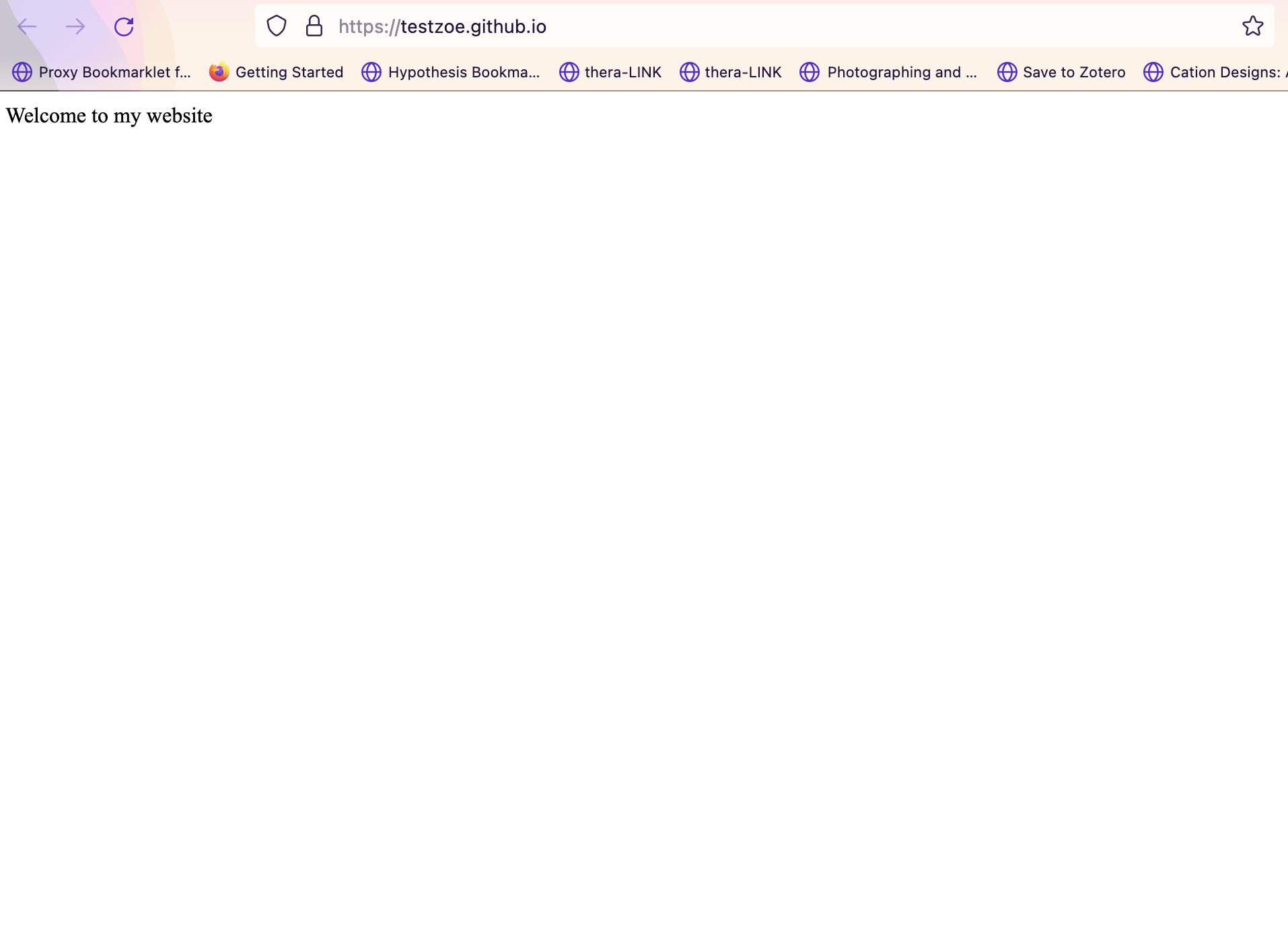
Live deployment

Understanding What’s Happening

When you push your HTML files to GitHub, here’s what happens behind the scenes:

  1. GitHub detects the push to your repository
  2. GitHub Pages automatically builds your site
  3. Your HTML, CSS, and JavaScript files are copied to a web server
  4. Your site becomes accessible at your unique URL

Understanding What’s Happening

When someone visits your URL:

  1. Their browser sends an HTTP request to GitHub’s servers
  2. GitHub’s servers respond with your HTML file
  3. The browser renders the page

You’ve created content (HTML), version controlled it (Git), and deployed it to a live web server!

Your Turn: Doing It Live Assignment

Review the assignment instructions here: Doing It Live.

Remainder Agenda